
The Disconnect That's Costing You Hours Every Day
Your phone rings. An AI voice assistant answers, qualifies the lead, and books the appointment. The customer hangs up satisfied. But then what?
For most HVAC companies, the answer is disappointing: someone manually enters that information into ServiceTitan. Maybe it's the tech who just finished a job, sitting in his truck typing details into a tablet. Maybe it's the office manager who already has 47 other tasks. Either way, it's a bottleneck that kills momentum and introduces errors.
This is the hidden cost of disconnected systems. You've invested in AI to capture leads faster, but you're still manually bridging the gap between your voice automation and your field service management.
The solution? Native ServiceTitan integration that turns your AI voice assistant into a true extension of your workflow—not just a front-end answering service.
What Is ServiceTitan Integration?
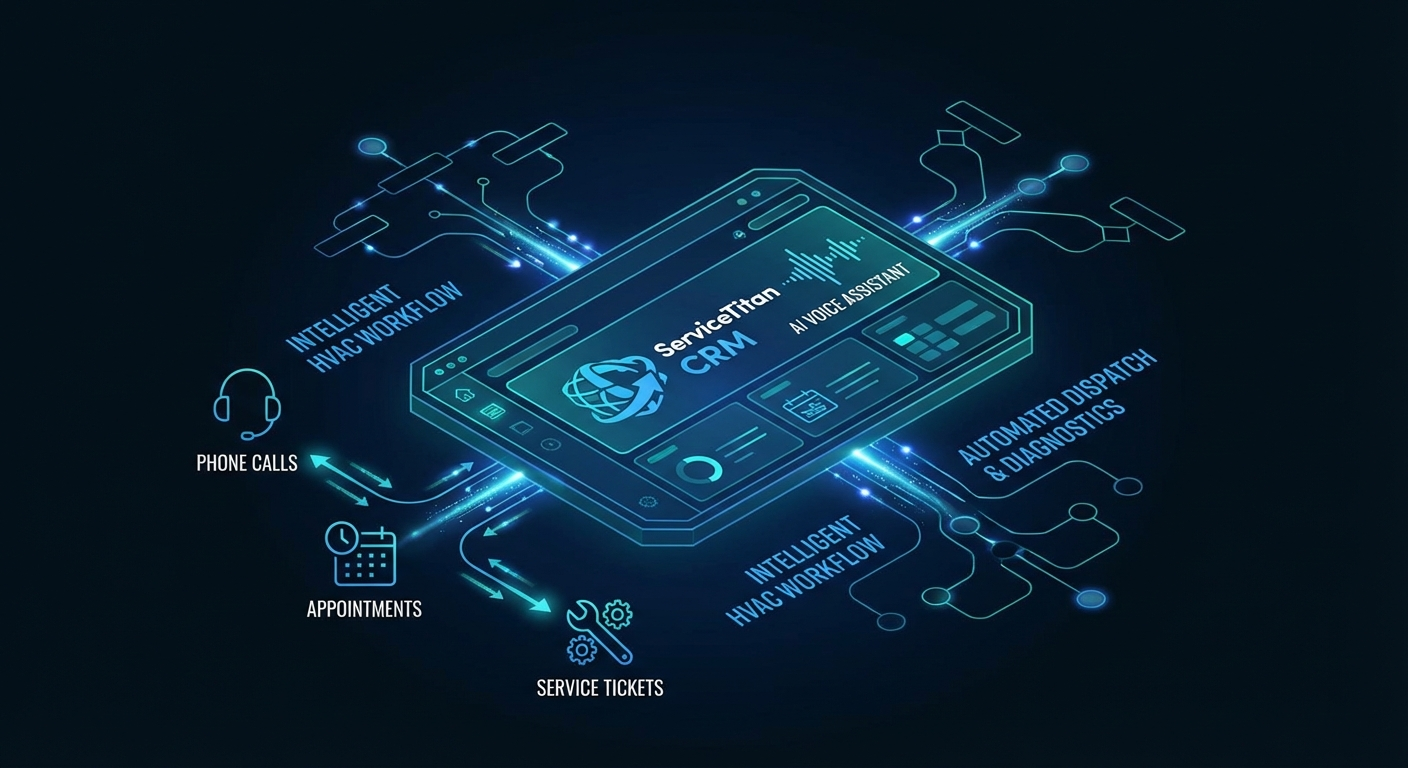
ServiceTitan integration connects your AI voice assistant directly to your field service management platform. Instead of the AI operating as a standalone tool that hands off information for manual entry, it becomes an automated data pipeline that:
- Creates customer records instantly
- Generates service tickets automatically
- Schedules appointments directly in your dispatch board
- Updates job statuses in real-time
- Triggers follow-up sequences without human intervention
The result is a closed-loop system where a customer call flows seamlessly through qualification, booking, dispatch, and completion—without anyone retyping information or switching between apps.
The Technical Architecture
Understanding how ServiceTitan integration works helps you evaluate whether your AI provider truly delivers seamless workflow automation or just basic API connections.
API-First Design
Modern ServiceTitan integration uses RESTful APIs to enable real-time data exchange:
Outbound from AI to ServiceTitan:
- Customer creation/lookup via phone number matching
- Location and property data population
- Service ticket generation with AI-captured details
- Appointment scheduling with technician availability checks
- Call logs and conversation transcripts attached to customer records
Inbound from ServiceTitan to AI:
- Real-time technician availability for accurate scheduling
- Job status updates for customer inquiry responses
- Customer history access for personalized service
- Warranty and membership information for upsell opportunities
Webhook-Driven Synchronization
The most sophisticated integrations use webhooks for instant updates rather than polling:
- **New appointment booked** → ServiceTitan dispatches notification to technician's mobile app within seconds
- **Technician marks job complete** → AI automatically triggers review request and maintenance reminder
- **Customer calls back** → AI instantly accesses job history for context-aware conversation
Bidirectional Data Flow
True integration means data moves both ways seamlessly:
| Trigger | AI Action | ServiceTitan Update |
|---------|-----------|---------------------|
| Incoming call | Answers and qualifies | Logs call, searches existing customer |
| New customer confirmed | Captures contact details | Creates customer record |
| Service need identified | Books appointment | Creates job ticket, assigns technician |
| Appointment scheduled | Confirms with customer | Updates dispatch board, notifies tech |
| Day of service | Sends reminder SMS | Marks job as dispatched |
| Job completed | Requests review | Updates job status, triggers invoicing |
Real-World Efficiency Gains
The numbers tell a compelling story about what ServiceTitan integration delivers:
Time Savings Per Job
| Task | Without Integration | With Integration | Time Saved |
|------|---------------------|------------------|------------|
| Customer data entry | 4-6 minutes | 0 seconds | 100% |
| Appointment scheduling | 3-5 minutes | Instant | 100% |
| Job ticket creation | 5-8 minutes | Automatic | 100% |
| Call logging | 2-3 minutes | Automatic | 100% |
| Total per job | 14-22 minutes | 0 minutes | 100% |
For a company booking 150 jobs per month, that's 35-55 hours of administrative time eliminated—equivalent to nearly a full-time employee.
Error Reduction
Manual data entry creates costly mistakes:
- **Address typos** → Technicians arrive at wrong locations
- **Phone number errors** → Can't contact customers for confirmations
- **Service description gaps** → Techs unprepared for job scope
- **Scheduling conflicts** → Double-booked technicians, angry customers
Integration eliminates these errors at the source. The AI captures information once, accurately, and populates it throughout the system.
Customer Experience Improvements
Beyond operational efficiency, integration transforms the customer journey:
Instant Recognition:
When a returning customer calls, the AI immediately accesses their ServiceTitan history: "Hi Sarah, I see we serviced your AC unit last June. Are you having issues with it again?" That level of personalization builds loyalty.
Accurate Scheduling:
The AI checks real-time technician availability before booking. No more "Let me check the schedule and call you back." The appointment is confirmed during the first call.
Proactive Updates:
Job status changes in ServiceTitan automatically trigger customer notifications. "Your technician Mark is en route and will arrive in 15 minutes."
The Setup Process: Easier Than You Think
Despite the sophisticated technology, ServiceTitan integration typically deploys in 48-72 hours:
Day 1: API Connection
- Generate ServiceTitan API keys
- Configure authentication and permissions
- Establish secure data pipeline
- Test basic connectivity
Day 2: Workflow Mapping
- Map AI conversation flows to ServiceTitan data fields
- Configure business rules (appointment types, technician assignments)
- Set up webhook endpoints for real-time sync
- Define exception handling (emergency escalations, complex requests)
Day 3: Testing and Refinement
- Run test calls through complete workflow
- Verify data accuracy in ServiceTitan
- Train AI on company-specific terminology
- Configure reporting dashboards
Week 2: Soft Launch
- Enable integration for after-hours calls only
- Monitor data sync accuracy
- Refine AI responses based on real interactions
- Train staff on new workflow
Week 3: Full Deployment
- Expand to all incoming calls
- Implement automated follow-up sequences
- Launch customer self-service features
- Establish ongoing optimization schedule
Advanced Integration Features
Once basic integration is operational, these advanced capabilities deliver additional ROI:
Dynamic Pricing Integration
The AI accesses your ServiceTitan pricebook for instant quote generation:
- Customer: "How much for a capacitor replacement?"
- AI: "Based on your system type, that would be $287 including parts and labor. I can schedule that for tomorrow morning."
No more "Someone will call you with pricing." Instant answers lead to instant bookings.
Membership and Warranty Verification
Before scheduling, the AI checks ServiceTitan for:
- Active maintenance agreements (upsell opportunity if expired)
- Warranty status on equipment (affects pricing conversation)
- Payment history and account standing
- Preferred technician requests
Intelligent Dispatch Logic
Integration enables sophisticated scheduling decisions:
- **Geographic optimization:** Assigns technicians based on current location and route efficiency
- **Skill matching:** Routes complex jobs to senior techs, routine maintenance to junior techs
- **Capacity balancing:** Distributes workload evenly across team
- **Emergency prioritization:** Bumps urgent calls to front of queue automatically
Automated Follow-Up Sequences
Job completion in ServiceTitan triggers AI-driven follow-up:
- **Hour 1:** Satisfaction survey via SMS
- **Day 3:** Review request with direct Google link
- **Week 2:** Maintenance plan enrollment offer
- **Month 6:** Seasonal tune-up reminder
- **Year 1:** Equipment anniversary check-in
ROI Analysis: The Numbers That Matter
For a mid-sized HVAC company processing 200 jobs monthly:
Investment
- AI voice assistant with ServiceTitan integration: $699/month
- One-time setup and training: $2,500
- **Year 1 Total:** $10,888
Returns
Direct Time Savings:
- 200 jobs × 18 minutes average admin time = 60 hours/month
- At $25/hour loaded cost = $1,500/month
- Annual value: $18,000
Error Reduction:
- 15% reduction in scheduling mistakes
- 10 fewer missed appointments/month = $14,000 (at $1,400 avg job)
- Annual value: $14,000
Revenue Capture:
- 22% increase in quote acceptance (instant vs. delayed pricing)
- Additional 44 jobs/month = $61,600
- Annual value: $61,600
Total Year 1 Return: $93,600
Net ROI: 760%
Common Integration Challenges (And Solutions)
Challenge 1: Data Field Mismatches
Your ServiceTitan may use custom fields that don't map cleanly to standard AI data capture.
Solution: Modern integrations support custom field mapping. Work with your provider to create field-specific logic that captures information exactly as your workflow requires.
Challenge 2: Complex Scheduling Rules
If you have intricate dispatch logic (certain techs for certain zip codes, equipment-specific assignments), basic integrations may struggle.
Solution: Advanced integrations support conditional logic and rule-based routing. Map your decision tree into the AI workflow for accurate automated scheduling.
Challenge 3: Legacy System Compatibility
Older ServiceTitan instances may lack modern API capabilities.
Solution: Most integrations work with ServiceTitan versions from 2019 onward. For older systems, a middleware layer can bridge the gap without requiring full platform upgrades.
Challenge 4: Staff Change Management
Technicians and office staff may resist workflow changes.
Solution: Position integration as eliminating tedious data entry, not replacing judgment. The AI handles routine capture; humans focus on complex problem-solving and relationship building.
The Future: What's Next for ServiceTitan + AI
Integration capabilities continue evolving rapidly:
Predictive Scheduling
AI analyzes ServiceTitan historical data to predict call volume and automatically adjusts technician availability recommendations.
Visual AI Integration
Customers text photos of equipment issues; AI analyzes images, populates ServiceTitan with preliminary diagnostics, and routes to appropriate specialist.
Voice Cloning
The AI answers using the business owner's voice, creating personal connection at scale while still syncing perfectly with ServiceTitan.
Automated Upselling
Based on ServiceTitan purchase history, the AI suggests relevant add-ons during booking: "Since you're due for a filter replacement, shall I include that with your service call?"
Is ServiceTitan Integration Right for Your Business?
Integration delivers maximum value for companies that:
✅ Process 75+ jobs monthly (volume justifies automation investment)
✅ Use ServiceTitan as primary FSM (not just for invoicing)
✅ Have scheduling complexity (multiple techs, service areas, job types)
✅ Struggle with data entry bottlenecks (staff spending hours on admin)
✅ Want to scale without adding overhead (growth requires efficiency)
Integration may be premature for:
❌ Solopreneurs with low volume (manual entry manageable)
❌ Companies using basic ServiceTitan features only (integration complexity exceeds value)
❌ Businesses planning FSM switch (integrate after platform decision)
Getting Started
If you're ready to complete your HVAC workflow with ServiceTitan integration:
1. Audit your current workflow: Map how customer calls flow from initial contact to job completion. Identify every manual handoff.
2. Calculate your integration ROI: Use the formula above with your actual numbers. Most companies see payback in 30-45 days.
3. Evaluate AI providers: Look for proven ServiceTitan integration experience, not just API capability. Ask for references from similar-sized HVAC companies.
4. Start with after-hours: Test integration on overnight calls first. This lets you refine the workflow without disrupting business-hour operations.
5. Expand to full deployment: Once after-hours runs smoothly, enable integration for all calls and watch your administrative burden disappear.
The Complete Workflow Vision
ServiceTitan integration transforms your AI voice assistant from a standalone tool into the connective tissue of your entire operation:
Customer calls → AI answers and qualifies → ServiceTitan creates record → Job ticket generates → Technician receives dispatch → Job completes → Follow-up triggers automatically
No retyping. No app switching. No information gaps. Just a seamless flow from first call to satisfied customer review.
That's not just automation—it's operational transformation.