
How to Set Up AI Intake for Law Firm: Capture More Cases 24/7 (2026)
To set up AI intake for your law firm, deploy an AI phone agent that answers calls 24/7, screens potential clients using your intake criteria, collects case details and contact information, schedules consultations directly into your calendar, and sends automated follow-up materials. Law firms using AI intake capture more leads and reduce intake staff workload significantly.
Learn how to set up AI intake for law firm. Automate initial client screening, case details collection, appointment booking, and follow-up.
Epiphany Dynamics is an AI automation agency: we help businesses find and fix operational bottlenecks with AI receptionists, lead follow-up, and workflow automation.
Free 30-minute audit. We name at least 3 things you can automate, ranked by impact.
Book a free AI audit
Patrick Gibbs
To set up AI intake for your law firm, deploy an AI phone agent that answers calls 24/7, screens potential clients using your intake criteria, collects case details and contact information, schedules consultations directly into your calendar, and sends automated follow-up materials. Law firms using AI intake capture more leads and reduce intake staff workload significantly.
Why Law Firms Need Automated Intake
Every law firm has the same problem: potential clients call at all hours of the day and night. Accidents happen after work hours. Legal questions dont follow business schedules. When your phones are unanswered, those potential clients call the next firm on Google.
Manual intake is also expensive. A full-time intake specialist costs $35,000-$50,000 per year plus benefits. Even then, they can only handle one call at a time. During busy periods, calls stack up and go to voicemail. Most people dont leave voicemails for law firms — they call the next firm.
AI intake solves all of these problems at a fraction of the cost.
Step 1: Deploy Your AI Phone Agent for Intake
The core of law firm intake automation is an AI phone agent trained specifically on legal intake. Not a generic AI — one that understands legal terminology, intake criteria, and confidentiality requirements. To compare the main receptionist platforms against those requirements, see our AI receptionist for law firms guide.
Configure your AI to: greet callers professionally and identify the practice area they need (personal injury, family law, criminal defense, etc.), ask screening questions based on your specific intake criteria (case type, jurisdiction, timeline, damages, etc.), capture full contact information including phone, email, and preferred contact time, schedule consultations directly into your firms calendar with practice area and attorney availability in mind, and send an immediate confirmation text with consultation date, what to bring, and directions.
The AI should be able to identify emergency situations (arrests, restraining order filings) and transfer immediately to the on-call attorney.
Step 2: Build Your Intake Questionnaire and Criteria
Law firms have specific intake criteria that vary by practice area. A personal injury case requires different information than a family law case.
Configure your AI to ask questions specific to each practice area:
Personal injury: Date and location of incident, injuries sustained, medical treatment received, insurance company involved, whether a police report was filed.
Family law: Marriage duration, children involved, asset complexity, whether its contested, and whether there is a history of domestic violence.
Criminal defense: Charges filed or pending, court dates, custody status, prior criminal record.
The AI determines which questions to ask based on the practice area and adjusts dynamically based on answers. If a caller mentions a police report was filed, the AI asks for the report number and officer name.
Step 3: Automate Intake Follow-Up and Nurture
Not every potential client is ready to book a consultation immediately. Some want to think about it. Others need to check their budget. These leads must be nurtured.
Set up automated follow-up: immediate text and email with a summary of their case information and a link to your firms credentials and testimonials, 24-hour follow-up call attempt from a live intake specialist for qualified leads, 48-hour text to non-responders asking if they have questions, weekly email with relevant content (blog posts about their type of case, client testimonials, answers to FAQs), and monthly check-ins for leads that arent ready to engage but havent explicitly declined.
For detailed intake automation strategies, see our law firm automation guide.
Step 4: Integrate with Your Case Management Software
The AI intake system should feed directly into your case management software (Clio, MyCase, PracticePanther, or similar). When a consultation is booked: create the contact record in your case management system with all intake data pre-populated, assign the matter to the appropriate practice area and attorney, trigger a conflict check against your database, generate a new client checklist with tasks for the intake team, and add the consultation to the attorneys calendar with a link to the intake notes.
This eliminates 15-20 minutes of data entry per new lead and ensures that no information is lost between the intake call and the first meeting.
Step 5: Monitor and Optimize Intake Performance
Set up dashboards that track: number of calls received by time of day and day of week, percentage of calls handled by AI vs. transferred to human, conversion rate from call to consultation booked, consultation show rate, and case acceptance rate from consultations.
Review this data weekly. Adjust your AI scripts based on what questions are causing callers to drop off or transfer. Add new screening questions for practice areas youre expanding. Optimize your follow-up sequences based on which messages get the best response rates.
Frequently Asked Questions
Can AI intake handle sensitive legal situations appropriately? Yes. Configure your AI with professional tone and empathy protocols. The AI is trained to recognize distress signals and transfer immediately to a human. For practice areas like family law and criminal defense, you can require all calls to start with the AI but offer immediate transfer.
Is AI intake compliant with legal ethics rules? AI intake must comply with your states bar rules on advertising, solicitation, and client intake. Work with your ethics counsel to configure your AI appropriately. Key considerations include avoiding misleading statements, maintaining confidentiality, and proper disclaimer placement.
What if a potential client wants to speak to a lawyer immediately? Configure your AI to identify requests to speak to a lawyer and transfer immediately. If the lawyer is available, the AI briefs them on the callers information before the transfer. If not, the AI books a call-back time.
How much does AI intake cost for a law firm? These are illustrative outside-provider prices for AI intake services. Compare current quotes against your practice areas, intake requirements, and case management system.
AI phone intake runs $300-$500/month for a solo or small firm. Medium firms with multiple practice areas pay $500-$1,000/month. This replaces or augments one or more intake specialists at significant cost savings.
Does AI integrate with Clio, MyCase, or PracticePanther? Yes. Most AI intake platforms offer native integrations with major legal practice management systems. If yours isnt listed, n8n or Make.com can bridge the connection via API.
Automate Your Law Firm Intake
Every missed intake call is a potential case youll never know about. In competitive legal markets, the firms that respond fastest win the most cases. AI intake ensures you never miss a call, capture complete information every time, and follow up systematically.
Start with AI phone answering for after-hours and overflow calls. Add full intake automation over the next 30 days. Our legal automation tools page compares the top AI intake platforms for law firms.
Book a free automation audit to see how many leads your firm is losing to missed calls.
Patrick Gibbs
AI Automation Expert
Patrick Gibbs helps professional practices implement AI automation that captures more leads, books more appointments, and scales without adding overhead. He's the founder of Epiphany Dynamics and creator of the AI Front Desk system.
Related Solutions
Build this into a real workflow
Related Posts

What Two-Way Sync Between AI and ServiceTitan Looks Like in Practice
Two-way sync between AI and ServiceTitan means data flows both directions: the AI reads live job and customer data from ServiceTitan, and writes new bookings.
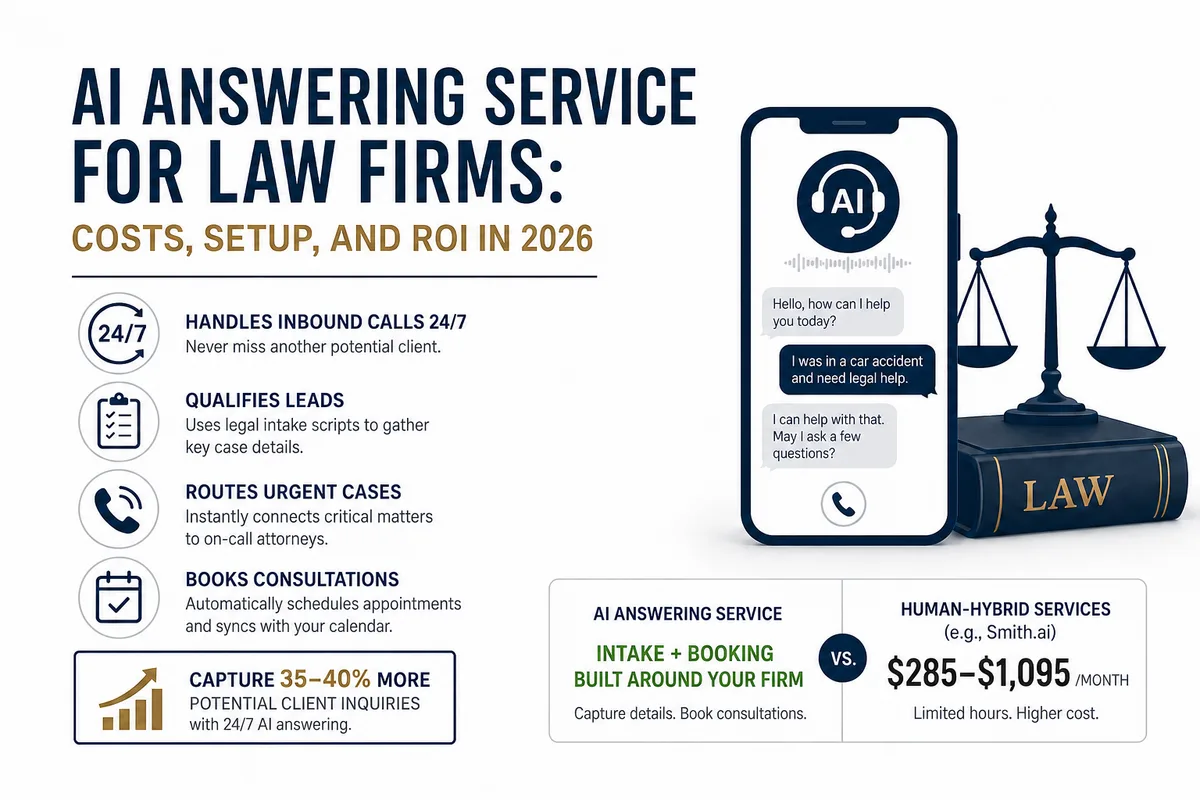
AI Answering Service for Law Firms: Costs, Setup, and ROI in 2026
Law firms miss a large share of inbound calls, most of them after hours. Here's what an AI answering service actually does, what it costs versus human.

AI Receptionist for ServiceTitan: How the Integration Actually Works
A plain-English guide to connecting an AI receptionist to ServiceTitan through its API, what gets automated, and what your account needs first.