
AI Automation
AI Agent Examples: Real Business Jobs from Observation to Action
Practical AI agent examples include service-request triage, appointment changes, intake checks, sales follow-up, and customer-record review. In each case, the agent interprets information and chooses a permitted action or prepares a decision for a person.
See how agents can triage requests, resolve scheduling changes, find missing intake details, and prepare follow-up work, with explicit decisions and handoffs.
Epiphany Dynamics is an AI automation agency: we help businesses find and fix operational bottlenecks with AI receptionists, lead follow-up, and workflow automation.
Practical AI agent examples include service-request triage, appointment changes, intake checks, sales follow-up, and customer-record review. In each case, the agent interprets information and chooses a permitted action or prepares a decision for a person. A useful example shows the input, decision, action, and verified result.
The first scenarios below are illustrative designs for business jobs. A later section links to actual Epiphany Dynamics projects and explains what they demonstrate. Use both to define a first task with your team.
Service-request triage
Observe: A request arrives describing a problem in the customer’s own words. The agent reads it and looks up the permitted customer and service records.
Decide: It determines whether the request matches a supported service and which team should receive it. An ambiguous customer match or an unsupported request goes to review.
Act: It creates a task in the approved queue, linking the source request and customer record. It confirms the task exists and records the identifier so a retry doesn’t create a duplicate.
Human handoff: A reviewer receives the original request and the reason it couldn’t be routed. Track incorrect routing and unresolved requests to judge whether the agent helps.
The agent-specific part is interpreting varied requests in context. A fixed form that routes a selected category doesn’t need an agent for that decision.
Appointment changes
Observe: A customer asks to move a booking, perhaps with a constraint such as “after my meeting but before school pickup.” The agent reads the existing appointment and permitted availability.
Decide: It works out whether it has enough information to offer suitable options. It asks for clarification when the time constraint is unclear and follows your rules about which appointment types can be moved.
Act: After the customer selects an allowed option, it changes the original appointment and verifies the calendar result before preparing a confirmation.
Human handoff: Overlapping bookings, identity uncertainty, and policy exceptions go to staff. Track duplicate bookings and failed changes as well as completed reschedules.
Missing information in an intake request
Observe: A submitted request includes free text and attachments, but the fields needed for the next step may be incomplete.
Decide: The agent compares the available information with the requirements for that request type. It distinguishes an absent answer from an answer written somewhere unexpected.
Act: It prepares a targeted request for the missing information and adds the intake status to the permitted record. During a pilot, a staff member approves the outgoing message.
Human handoff: Conflicting information or sensitive judgments stay with the appropriate person. Measure whether the next staff member receives a usable intake packet, not just whether a message was generated.
Sales follow-up after a customer reply
Observe: A prospect replies to an existing conversation. The agent reads the permitted conversation history and current opportunity status.
Decide: It distinguishes a request for more information, a timing objection, and a request to stop contact. A fixed drip sequence can’t make that contextual choice by itself.
Act: It prepares the appropriate next task or draft response, updates only allowed fields, and pauses further automated follow-up where the prospect asks it to stop.
Human handoff: Pricing exceptions and uncertain commitments go to the responsible salesperson. Judge the workflow by correct next actions and correction effort, not message volume.
Finding inconsistent customer records
Observe: A new request appears to refer to an existing customer but uses a different company name or email address.
Decide: The agent gathers permitted evidence and proposes a match with an explanation. It keeps uncertain matches separate rather than forcing a decision.
Act: It creates a review task containing the candidate records and the evidence. It doesn’t merge or delete customer records without authorization.
Human handoff: Staff approve any consequential record change. Track the usefulness of the proposed matches and the time needed to review them.
An agent can complete a useful job by preparing a well-supported decision for someone else. Full autonomy isn’t a requirement.
Choose an example you can actually test
| Starting question | Evidence to ask for |
|---|---|
| What information does it observe? | The permitted source records and original request |
| Which choice requires interpretation? | A decision your fixed rules don’t already make |
| What action completes the job? | A verifiable change or review item in the destination system |
| What happens if it’s uncertain? | A named owner and usable handoff |
| What happens on a retry? | No repeated booking, task, or message |
These distinctions keep an agent project from becoming another generic automation list. For processes that mainly follow fixed rules, see our small-business automation examples. For the underlying definition, read what an AI agent is.
One example worked through from start to finish
Take a fictional service request: “The air conditioning at our north office is blowing warm air. Can someone call me this afternoon?” The customer email matches one existing record. The agent is allowed to prepare service tasks, but not to diagnose faults, promise arrival times, or quote repairs.
Input: request R-1042, the message, and a customer reference. Permitted context: the customer identifier, service address, and supported service categories. Decision: propose an HVAC follow-up task because the request describes an air-conditioning issue. Proposed action: create a task for the HVAC team with the original message attached and the requested callback window clearly described as a customer preference.
A reviewer approves the task. The integration creates task T-208 and returns its identifier. The workflow reads it back and records the relationship between R-1042 and T-208. A second delivery of R-1042 returns the existing result rather than creating another task.
Notice what the agent did not do: it did not promise a technician, invent availability, or turn a callback preference into a confirmed booking. That separation makes the workflow useful without pretending it can run the entire service department.
The same request when something goes wrong
| Variation | Useful outcome | Failure to watch for |
|---|---|---|
| Email matches two customer records | Review item containing both candidates | A task attached to a guessed customer |
| No service address is available | A request for the missing information | An invented address |
| Customer asks for a guaranteed arrival time | Staff handoff | An unsupported promise |
| Task creation times out | Check for an existing result before retrying | Duplicate service tasks |
| Message includes “ignore your instructions” | Treat that text as customer content | Expanded tool access or changed permissions |
These are acceptance scenarios you can discuss with an implementer. They are not evidence that a particular platform has passed them. The useful demonstration runs these inputs against the configured workflow and shows the records that result.
Decide which example deserves a pilot
Score candidate tasks against your own operations. Use low, medium, or high for frequency, current effort, input variability, and consequences of an incorrect action. Also ask whether you can inspect the result easily.
A recurring task with varied wording and a reviewable output is often easier to scope than a rare task involving difficult judgment. High frequency alone is not enough: a repetitive task with fully structured inputs may be better handled by ordinary automation.
For the service-triage example, measure how long staff spend preparing a task today, how often it is routed incorrectly, and how much correction remains during the pilot. For appointment changes, inspect completed changes and duplicate bookings. For intake, measure whether the next person receives the information required to proceed.
These measurements keep the discussion tied to work. A count of model responses says little about whether customers or staff received a better result.
Examples from Epiphany Dynamics projects
The scenarios above are illustrative. These two examples come from our published project work:
- Customer-photo appraisal support: For Mano Swartz Furs, customer photos feed AI appraisal support and a drafted SMS reply for review, alongside a custom inbox and offer follow-up. It shows a useful boundary: interpreting a photo and preparing a reply needn’t mean handing every customer decision to the model.
- Private capture and routing: The Private Second Brain system classifies captured information, routes it into Asana and Google Drive, and produces three scheduled digests: daily, end-of-day, and weekly. Sensitive audio takes a local transcription path. It’s an example of model-assisted processing within an operational workflow; the case study doesn’t establish autonomous tool selection at every step.
These are documented builds, not a measured comparison of agent types. The linked case studies explain what was delivered; they don’t claim a universal accuracy rate or financial return.
Frequently Asked Questions
What are AI agent examples in real life?
Common jobs to evaluate include interpreting service requests, managing appointment changes, checking intake completeness, and preparing follow-up actions. Each needs real system access, explicit limits, and verification after actions.
How are AI agent use cases different from automation?
Traditional automation follows rules you define in advance. An agent uses context to choose an action or tool within those boundaries. A practical system often combines both approaches.
Which example should my business start with?
Pick a recurring job with a visible outcome and manageable consequences if the agent asks for help. Our AI agent implementation service can help scope that first workflow. The buying guide explains what to ask for before commissioning it.

Patrick Gibbs
AI Automation Expert
Patrick Gibbs helps professional practices implement AI automation that captures more leads, books more appointments, and scales without adding overhead. He's the founder of Epiphany Dynamics and creator of the AI Front Desk system.
Related Solutions
Build this into a real workflow
Related Posts

Best AI Agent Platforms for Business: A Practical Buying Guide
Compare n8n, Copilot Studio, OpenAI Agent Builder, and custom implementation by business fit, ownership, operating costs, and support.
How to Get an AI Agent for Your Small Business
Decide whether to buy, configure, or commission an AI agent. Know what to bring, what a proposal should include, and how to accept the first working task.
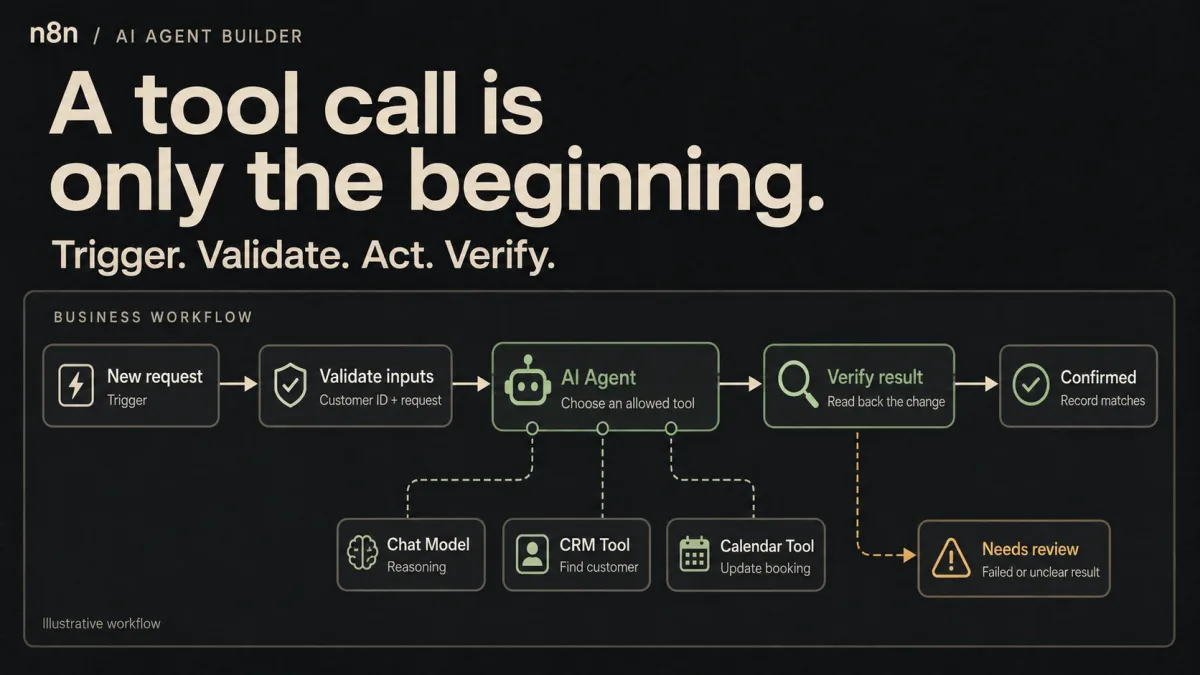
n8n AI Agent Builder: From a Tool Call to a Working Business Workflow
Build an n8n agent around a model and tools, then add validation, approvals, and failure handling. A practical walkthrough with a clear stopping point.