
AI Answering Service for Medical Offices: What to Know in 2026
An AI answering service for a medical office answers patient calls, books appointments directly into your scheduling system, routes urgent calls to on-call providers, and sends automated reminders. Most practices miss a large share of inbound calls during peak hours.
A large share of medical office calls go unanswered during peak hours. Here's what an AI answering service does for a practice, what HIPAA requires, and how.
Epiphany Dynamics is an AI automation agency: we help businesses find and fix operational bottlenecks with AI receptionists, lead follow-up, and workflow automation.
Free 30-minute audit. We name at least 3 things you can automate, ranked by impact.
Book a free AI audit
Patrick Gibbs
An AI answering service for a medical office answers patient calls, books appointments directly into your scheduling system, routes urgent calls to on-call providers, and sends automated reminders. Most practices miss a large share of inbound calls during peak hours. The right cost comparison depends on call volume, compliance requirements, EHR integration depth, and how much routine intake the system can remove from staff workload.
Medical front desks absorb a heavy call load, and a lot of it arrives during lunch breaks, staff crunches, and after-hours windows. The phone rings, goes to voicemail, and a large share of patients don't leave a message. They call back later or find another provider.
This article covers what AI answering services actually do in a medical context, what HIPAA compliance requires before you sign with anyone, how the cost math compares to the alternatives, and what separates a system worth deploying from one that generates patient complaints. If you're a practice manager or physician evaluating options, this is the working framework.
What These Systems Actually Do in a Medical Practice
An AI answering service for a medical practice answers every call, identifies intent (appointment request, prescription refill, urgent concern, billing question), routes to the right path, and books directly into your scheduling software. Modern systems can handle routine call volume without staff involvement when the workflow is well configured. Complex or urgent calls get routed to the right person automatically.
The most useful way to think about these systems is in terms of what happens during the call, at booking, and after. All three layers need to work before you're actually reducing staff workload rather than just moving calls to a different failure point.
During the call, the system handles intake through natural language conversation, not IVR menu trees. A patient saying "I need to come in for my follow-up" gets routed to appointment booking. Someone describing chest pain gets escalated immediately. A prescription refill request goes to the refill queue. The system identifies intent from how the patient actually speaks, not from which button they press.
At booking, the system checks real-time availability in your scheduling software and confirms the appointment in the same call without staff involvement. Most mature systems integrate with Athenahealth, Kareo, eClinicalWorks, and Nextech. After the call, confirmation texts go out, intake form links are sent, and reminders follow your practice's preferred cadence. Reminder automation helps reduce avoidable no-shows by making the appointment harder to forget. The savings case should be calculated from your own missed-slot value, reminder workflow, and no-show history.
HIPAA Compliance: What You Need Before You Buy Anything
Any AI answering service handling patient calls must sign a Business Associate Agreement (BAA) with your practice before going live. Without a BAA, your practice is liable for any PHI the system captures or transmits. Most general-purpose voice AI tools don't offer BAAs. HIPAA-compliant medical AI products cost a large share of more and are the only legal option for patient calls.
This is where practices get into trouble. They find a general-purpose AI voice tool that works in a demo, start routing patient calls through it, and don't realize until a compliance audit that the vendor has no HIPAA posture at all. A BAA is a legal contract where the vendor agrees to protect PHI under HIPAA standards. If they won't sign one, you cannot use their product for patient calls. That's the rule, not a guideline.
What to verify before signing: data encryption in transit and at rest, access controls, audit logs, breach notification procedures, and data retention policies for call recordings. Recordings contain PHI. Your BAA should explicitly define how long recordings are stored and who can access them. A vendor default is not an approved policy unless you've reviewed and accepted it. Reputable vendors produce full compliance documentation on request without hesitation. For context on how these requirements apply across different healthcare AI tools, the complete guide to AI automation for healthcare covers the full compliance scope practices need to verify before deploying any AI system.
Real Cost Breakdown: AI vs. Human vs. Front Desk Staff
The cost case for a medical-office AI answering service depends on routine call volume, HIPAA requirements, EHR integration, after-hours coverage, and staff workload. For after-hours and overflow coverage specifically, AI is often easier to justify when the work is routine intake, routing, and scheduling rather than clinical judgment.
| Option | Cost Pattern | After-Hours | HIPAA BAA | EHR Integration |
|---|---|---|---|---|
| AI Answering Service | Platform, compliance, implementation, and tuning | Yes, if configured | Yes (select vendors) | Yes (major EHRs) |
| Human Answering Service | Recurring staffed-service cost, often volume-sensitive | Yes, if included in plan | Yes (medical-specific) | Limited (manual relay) |
| Front Desk Staff (1 FTE) | Payroll, benefits, management, and turnover | No (business hours only) | N/A (internal) | Yes (direct access) |
| Voicemail Only | No added vendor cost, but high abandonment risk | Voicemail only | N/A | N/A |
Voicemail looks free until you price what it actually costs. If after-hours callers would have become booked appointments, every abandoned voicemail represents access lost and revenue delayed. Most patients who reach voicemail don't call back, so the useful calculation starts with your own after-hours call logs, booking rate, and average appointment value.
Human answering services make sense when your practice needs clinical judgment in the escalation layer. A trained medical answering operator can make triage decisions an AI system shouldn't make alone. But for appointment booking, prescription refill routing, and general inquiries, you're paying a significant premium for human involvement that adds no clinical value. Most practices that settle on a good long-term setup use AI for the routine first layer and escalate to on-call staff only when clinical judgment is actually required. That setup cuts monthly answering costs significantly versus a fully staffed service.
For additional background, see AI Phone Agent for Healthcare: What Actually Works in 2026.
How to Evaluate Vendors Without Getting Burned
The five things that separate a good AI answering service for a medical office from a mediocre one: HIPAA BAA availability, bidirectional EHR integration (not one-way sync), configurable escalation logic for urgent calls, performance on off-script conversations, and caller experience quality. Most products look good in a controlled demo. Real patient calls expose the gaps.
EHR integration is where most products underdeliver in actual use. A lot of vendors claim integration but mean a one-way webhook that pushes data somewhere. What you need is bidirectional: the AI checks real-time availability, books the appointment, and confirms it in the same call without any staff action. Ask directly during the demo: "Can a patient call, request Tuesday at 2pm, and have it booked in [your EHR] with zero staff touchpoint?" Anything other than a direct yes is a workflow gap you'll fill manually. The comparison of the best AI receptionist options for medical offices goes into how specific platforms handle this and where the real capability differences between products show up.
Escalation logic deserves more scrutiny than most buyers give it. What exactly happens when a patient says "I think I'm having a heart attack"? What happens when they sound confused or describe a potential psychiatric emergency? These paths need to be configurable by your practice, not relying on vendor defaults. Ask to see the escalation flow for a simulated emergency during the demo. If the vendor can't walk through it clearly, that's a product gap. Request a live test number before you commit. Call in yourself. Go off-script. If you can't get a working demo number pre-purchase, that tells you something about the vendor's confidence in their own product.
What Realistic Implementation Looks Like
Setting up an AI answering service for a medical office requires EHR integration, call flow configuration, HIPAA documentation, BAA execution, staff training, and a monitored soft-launch period. Almost every post-launch problem traces back to a configuration phase that got rushed.
Configuration is where practices should invest the most time. You're defining what the system says when it answers, how it identifies intent, how it handles transfers, and what it does with callers who don't fit standard paths. Medical practices have specific caller profiles that need addressed: chronic disease patients who call frequently, pediatric cases where a parent is calling for a child, callers with limited English proficiency, and patients who are distressed. Every one of those needs a configured response path, not a fallback to "please hold while I transfer you."
Staff framing matters more than most practices expect. Front desk staff sometimes push back against AI answering systems because they read it as a threat to their jobs. The realistic outcome at most practices: the AI handles after-hours and overflow volume that staff weren't answering anyway, and staff spend more time on the in-office work that requires human presence. That framing, delivered before launch rather than after the first complaint, makes adoption significantly faster. For how AI fits into daily operations beyond just answering calls, the step-by-step guide on using AI in a medical practice covers scheduling, intake, and follow-up workflows that pair well with a voice answering layer.
Give the system enough post-launch monitoring before drawing conclusions. Call volume patterns take time to normalize, and performance on edge cases improves as you configure responses to real calls you didn't anticipate during setup. Document every call that fell through or generated a complaint. That list becomes your configuration refinement plan.
An AI answering service for a medical office is one of the cleaner automation implementations available to a practice right now. The cost case is clear, the HIPAA path is defined, and the EHR integrations for major platforms are mature enough to deliver real workflow reduction. The difference between a deployment that works and one that generates patient complaints is almost entirely in configuration depth and escalation logic. If you're comparing this against human-hybrid alternatives, the AI receptionist vs. answering service comparison breaks down where each model fits best and what the real tradeoffs look like. For practices in adjacent specialties with similar scheduling dynamics, the AI automation approach for chiropractic clinics covers a lot of the same ground. Epiphany Dynamics builds custom AI voice workflows for medical practices that need more configurability than packaged products provide.
Frequently Asked Questions
Q: How much do AI answering services cost for medical offices?
Costs depend on HIPAA requirements, call volume, EHR integration depth, implementation support, and ongoing tuning. Compare the vendor quote against the staff workload removed, after-hours intake captured, and appointment booking work the system can reliably complete.
Q: Is an AI answering service HIPAA compliant for medical practices?
HIPAA compliance depends entirely on the vendor. Compliance is not automatic. Before signing with any provider, require a signed Business Associate Agreement (BAA), verify encrypted data transmission, confirm they don't store patient information on unsecured servers, and audit their data retention policies. Non-compliance can create serious liability for the practice.
Q: Can an AI answering service actually book appointments into my scheduling system?
Yes, modern systems integrate directly with major EHR and scheduling platforms (NextGen, Athena, Epic, Dentrix, etc.) and book appointments in real-time as patients confirm them during the call. This eliminates manual data entry by staff, reduces booking errors, and helps prevent double-bookings.
Q: What call types can an AI service handle without staff involvement?
AI answering services can handle routine inbound volume automatically when the workflows are well configured: appointment requests, prescription refills, billing questions, and basic symptom triage. Urgent cases and complex issues are routed to the appropriate staff member or on-call provider with call context already captured and documented.
Patrick Gibbs
AI Automation Expert
Patrick Gibbs helps professional practices implement AI automation that captures more leads, books more appointments, and scales without adding overhead. He's the founder of Epiphany Dynamics and creator of the AI Front Desk system.
Related Solutions
Build this into a real workflow
Related Posts

Best AI Receptionist for Small Business: How to Choose
The best AI receptionist for a small business is the one that answers quickly, books or routes correctly, escalates cleanly, and fits the tools your team.
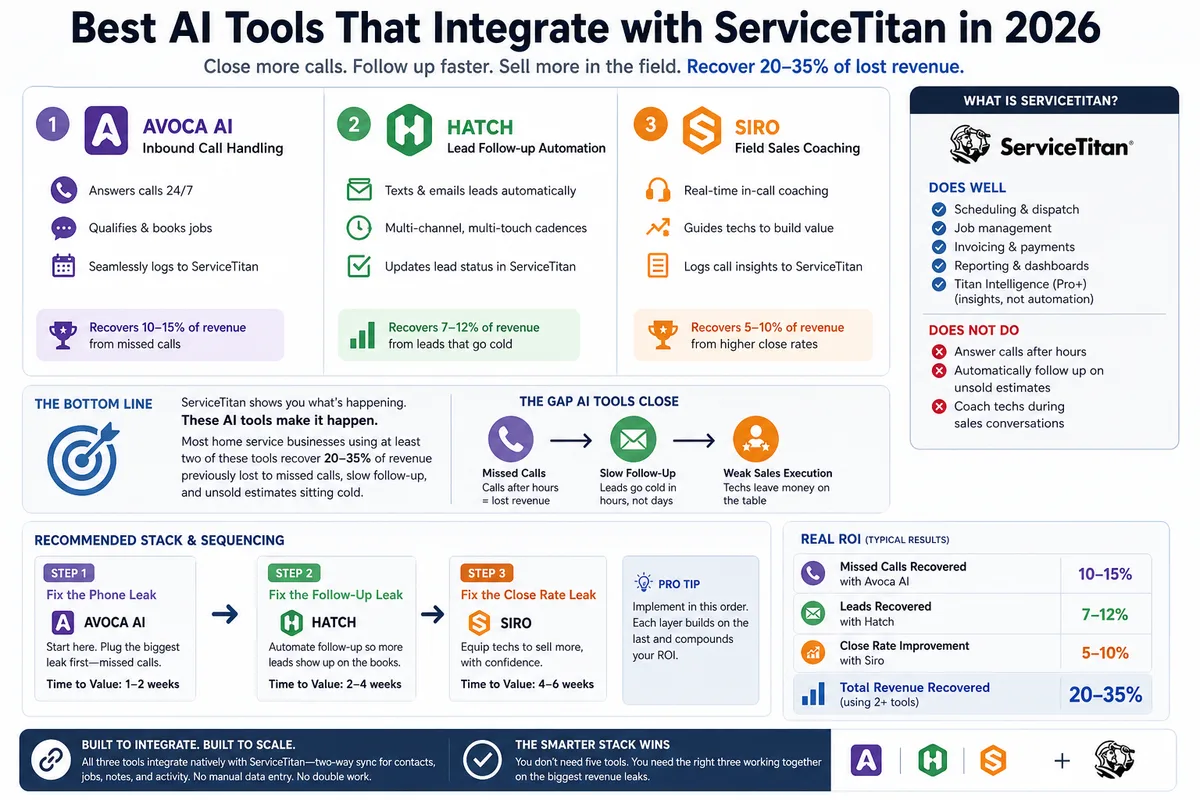
Best AI Tools That Integrate with ServiceTitan in 2026
Most ServiceTitan shops miss a meaningful share of inbound calls and leave most estimates unsold. These AI tools close those gaps inside ServiceTitan.
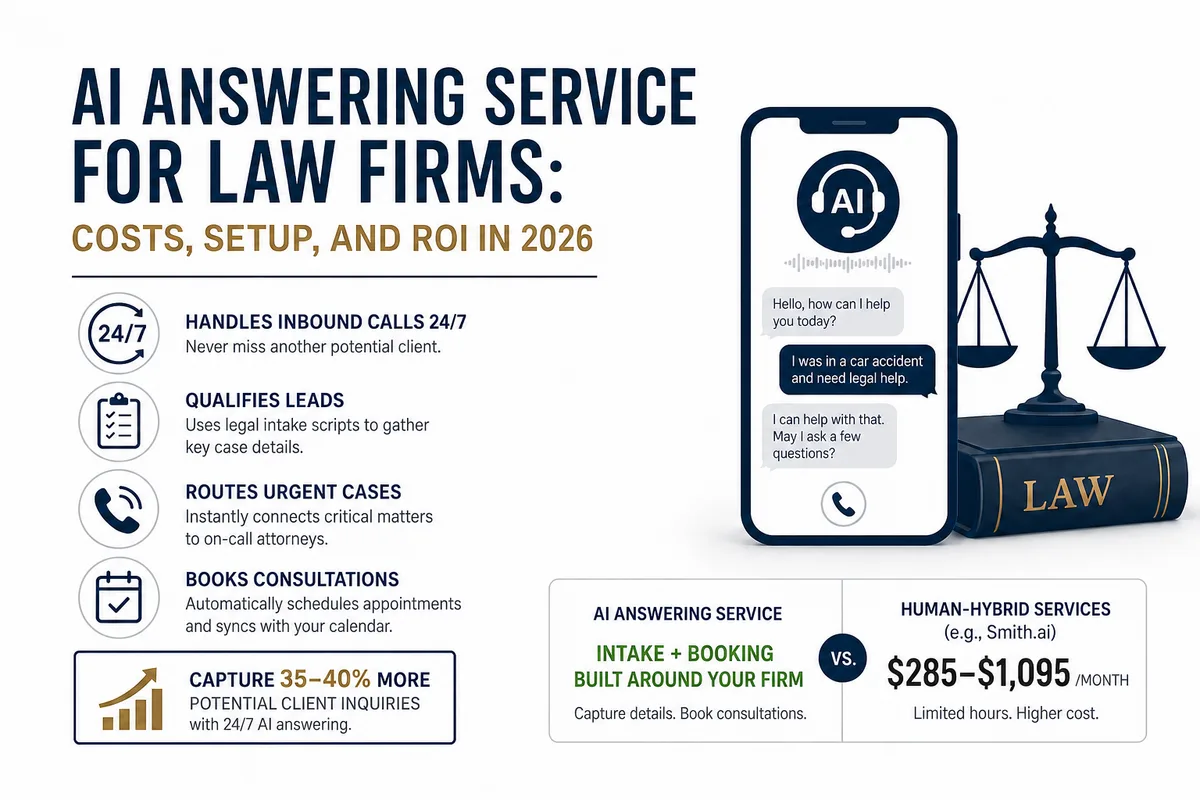
AI Answering Service for Law Firms: Costs, Setup, and ROI in 2026
Law firms miss a large share of inbound calls, most of them after hours. Here's what an AI answering service actually does, what it costs versus human.