
How Voice AI Handles After-Hours Emergency Calls
After-hours calls are some of the highest-stakes customer interactions a business handles: a missed 2 AM emergency call doesn’t just lose revenue, it sends a client straight to your competitor who picked up. Voice AI handles after-hours triage by combining natural language understanding with pre-configured escalation logic: genuine emergencies get routed to on-call staff immediately, while non-urgent calls are logged and scheduled without waking anyone up.
Missed after-hours emergency calls don't just cost revenue. They cost you clients and trust. Here's what voice AI actually does when a customer calls at 2 AM.
Epiphany Dynamics is an AI automation agency: we help businesses find and fix operational bottlenecks with AI receptionists, lead follow-up, and workflow automation.
Free 30-minute audit. We name at least 3 things you can automate, ranked by impact.
Book a free AI audit
Patrick Gibbs
After-hours calls are some of the highest-stakes customer interactions a business handles: a missed 2 AM emergency call doesn’t just lose revenue, it sends a client straight to your competitor who picked up. Voice AI handles after-hours triage by combining natural language understanding with pre-configured escalation logic: genuine emergencies get routed to on-call staff immediately, while non-urgent calls are logged and scheduled without waking anyone up. This post explains exactly how the triage process works, what happens when urgency is confirmed, and how to configure it for your industry.
The 2 AM Call That Goes to Someone Else
A pipe bursts at 2 AM. The homeowner calls the plumber they found on Google months ago. Four rings, then voicemail. They hang up and dial someone else. That second business answers, dispatches a technician, and earns trust by picking up at 2 AM. The first plumber never even knew the call came in. The real cost of those missed calls extends far beyond the single job lost.
This plays out constantly in home services, HVAC, property management, urgent care, and any industry where problems don’t observe business hours. After-hours calls aren’t a niche concern. For businesses where emergencies happen, they’re some of the highest-stakes interactions you’ll ever have with a customer. The question is whether your system handles them intelligently, or whether you’re quietly losing clients every night while the phone rings into a voicemail box.
What “Emergency” Actually Means in a Business Context
Before examining how voice AI handles these calls, it’s worth being precise about what “emergency” means operationally, because the word gets used loosely and that sloppiness creates real design problems downstream.
A genuine emergency is a situation where delay causes measurable harm: a burst pipe flooding a property, a patient describing symptoms that could indicate a cardiac event, an HVAC failure when it’s 14 degrees outside. These require human intervention within minutes. Compare that to a tenant calling at 11 PM because their dishwasher is making a strange noise, or a dental patient calling to confirm tomorrow’s appointment time. Both callers feel urgency. Neither situation is an emergency by any operational definition.
Most after-hours systems treat every call identically, routing everything to voicemail or a generic answering service that takes a message and emails it to whoever is on call. That approach is a poor fit for true emergencies because the right person may find out only after the customer has escalated elsewhere. Voice AI solves this at the routing layer, not the response layer, by sorting calls before any human has to be involved. Our analysis of voice AI adoption among home service contractors explains why after-hours call capture is often one of the clearest first deployments for this technology.
How Voice AI Triages a Call in Real Time
Modern voice AI handles after-hours triage through a combination of natural language understanding, pre-configured decision logic, and integration with your scheduling or dispatch system. Here’s what actually happens from the moment a call connects after hours.
The AI starts with context. It knows the call is after hours based on your business hours configuration, so it sets the right framing immediately: “We’re currently closed, but I can help you right now or connect you with our on-call team if this is urgent.” That framing does something important in the first ten seconds: it separates the caller who wants to book a routine appointment from the one whose basement is flooding. Those two calls need completely different handling.
Next, the AI gathers intent. Open-ended prompting works better than a phone tree for callers in distress. “Can you describe what’s happening?” gets more accurate information than “Press 1 for emergency, Press 2 for scheduling.” People in genuine emergencies don’t always categorize their problem the way a menu expects them to. Speech recognition and natural language processing analyze the response for urgency signals. Words like “flooding,” “gas smell,” “no heat,” “chest pain,” or “smoke” trigger elevated urgency routing regardless of what option the caller may have pressed earlier in the call.
From there, the system follows escalation logic your team configured in advance. For a property management company, that might mean: confirm the address, verify the caller is safe, then send a text to the on-call maintenance coordinator with a call transcript and the caller’s contact number. For a medical practice, the path might route directly to a nurse triage line for anything involving physical symptoms. The AI isn’t making clinical or technical judgments. It’s pattern-matching against rules your team set, applied consistently at 3 AM on a Sunday the same way it applies them at 11 PM on a Tuesday.
Structured Questioning Filters Out the Noise
Well-designed voice AI doesn’t just listen to the initial description. It asks follow-up questions to narrow the situation down. A caller who says “there’s water everywhere” might have a burst main line or might have knocked over an aquarium. The AI asks: “Is the water coming from a pipe or fixture? Are you able to reach the main shutoff valve?” Two things happen simultaneously: the caller gets immediately useful guidance, and the AI collects the specific information the on-call technician needs before they even return the call.
This structured questioning also filters calls that feel urgent but aren’t. A running toilet at midnight doesn’t require waking someone up at 1 AM. The AI can log the issue, schedule a morning visit, and tell the caller to expect a callback, all without touching the on-call rotation. Over time, this protects your on-call staff from burnout and preserves their availability for situations that genuinely need them.
What Happens When Urgency Is Confirmed
After triage, the system routes based on what it found. The highest-urgency path is a live transfer to whoever is on call. The AI confirms the emergency, tells the caller they’re being connected now, and bridges the call. In a well-built implementation, the on-call contact gets a brief summary before the caller connects: “You have a caller reporting a gas smell at 247 Elm Street. Connecting now.” They pick up already knowing what they’re walking into, which matters when seconds count.
For situations that are urgent but not immediately life-safety critical, a text or SMS notification is more practical than pulling someone off a job or out of sleep. The AI logs the call, sends a structured message to the on-call contact with the caller’s phone number, issue summary, and address or account info, then gives the caller a clear callback expectation. Most HVAC calls, property maintenance issues, and non-clinical medical inquiries fall into this category. The response path should be fast enough to address the situation without requiring an immediate live connection every time.
The lowest tier, where the AI takes a message and schedules a next-day callback, is reserved for situations the system determines don’t need after-hours handling. The operational detail that matters here: the callback expectation should be stated explicitly and logged. “Someone will call you in the morning” is better when the system also creates a trackable task, not a vague promise that disappears into voicemail. Businesses that implement this well set up automatic alerts if callbacks aren’t made by the stated time, which closes the loop that most voicemail systems leave open indefinitely.
After-Hours Coverage Options Compared
Businesses evaluating their after-hours strategy typically weigh a few options. Here’s how they compare on cost and capability for a small business with meaningful after-hours call volume.
| Option | Cost Pattern | Emergency Detection | Always Available | Consistent Triage |
|---|---|---|---|---|
| Voicemail only | No service fee, but high missed-call risk | None | Yes | N/A |
| Human answering service | Monthly service fee, often volume-sensitive | Inconsistent | Yes | No |
| In-house on-call staff | Labor, overtime, and rotation burden | Good | Rotation-dependent | Training-dependent |
| Voice AI with escalation | Platform and implementation cost, usually lower than staffing | High (rule-based) | Yes | Yes |
The cost comparison alone doesn’t capture the full picture. Human answering services have a consistency problem that’s easy to underestimate. A generic agent doesn’t know that “no heat” in a commercial property at 28 degrees outside is a different severity level than “no heat” in a warehouse that’s been closed all weekend. Voice AI, configured against your specific business rules, applies the same triage logic every time. That consistency is particularly valuable for industries where mis-routing an emergency carries real liability.
For more in this area, see Can AI Replace a Receptionist? The Honest Answer in 2026.
What Voice AI Gets Wrong
Any honest evaluation has to cover where these systems fail.
Voice AI struggles with callers who are highly distressed and speaking rapidly or incoherently. A person in genuine panic may not give clear answers, and the system may mis-route. Good implementations handle this by defaulting to the highest urgency tier when confidence scores drop below a set threshold, rather than guessing low and hoping for the best. If the system can’t figure out what’s happening, it should connect the caller to a human, not loop them through another set of questions.
Accent and dialect variation still affects recognition accuracy, though the gap has narrowed substantially over the past two years. Background noise from a job site or a vehicle can degrade performance noticeably. And voice AI can’t factor in contextual knowledge that only your staff would carry. If a tenant references “the problem we had last March with the boiler,” the AI has no idea what that refers to and can’t adjust its assessment accordingly. Building in a graceful fallback for low-confidence situations isn’t a system weakness: it’s the right design choice, and platforms that make it difficult to configure that fallback aren’t production-ready. For a deeper look at what AI phone systems can actually handle in 2026, the boundary between AI and human is well understood.
Getting the Setup Right Before You Go Live
If you’re evaluating voice AI for after-hours coverage, the configuration decisions matter as much as the platform you choose.
Start by auditing your recent after-hours call volume if you have records. Categorize them: how many were genuine emergencies, how many could have waited until morning, how many were misdials or wrong numbers. Most businesses are surprised by how much after-hours volume is urgent-feeling but not truly emergency work. That changes what the system needs to prioritize and how aggressive the escalation logic should be.
Before configuring anything in the platform, define your escalation paths on paper. Who is on call, and during what hours? Which issue types require an immediate live connection versus a text notification? What’s the acceptable callback window for non-emergencies? These are business decisions, not technology decisions. The AI enforces the rules you set. Vague rules produce vague outcomes, and “just figure it out” is not a valid instruction for a system handling customer emergencies.
Test the system before going live. Call it at 2 AM and run through every scenario your customers might realistically present. Find the edge cases where the system gets confused or stalls, and refine how it probes for more information in ambiguous situations. Real call data will improve routing accuracy over time, but intentional early testing prevents costly mis-routes in the first weeks of operation when the system is most likely to encounter something it wasn’t prepared for.
The Baseline Is Shifting
After-hours call handling is one of those operational gaps that feels minor until it causes a real problem. One missed emergency that results in a bad outcome or a lost client reframes the cost-benefit analysis fast. Voice AI won’t replace the judgment of a skilled technician, clinician, or property manager, but it can ensure the right information reaches the right person at the right time when no one is watching and the stakes are highest. For businesses in any industry where customers have time-sensitive needs, that capability is becoming less of a competitive differentiator and more of a baseline expectation. The business case should be measured against the calls currently going to voicemail, the urgency of those calls, and the value of getting the right person alerted quickly.
Frequently Asked Questions
Q: How does voice AI distinguish between a genuine emergency and a routine after-hours call?
Modern voice AI uses natural language processing to detect urgency signals in caller responses: words like “flooding,” “gas smell,” “no heat,” “chest pain,” or “smoke” trigger elevated urgency routing regardless of which menu option a caller may have selected. The system also uses structured follow-up questions (“Is the water coming from a pipe or fixture?”) to confirm or rule out emergency status before escalating to an on-call contact.
Q: What happens when a voice AI confirms a genuine emergency?
The highest-urgency path is a live transfer to whoever is on call, with the AI delivering a brief summary before the caller connects (“You have a caller reporting a gas smell at 247 Elm Street. Connecting now”). For urgent but not immediately critical situations, the system sends a structured SMS to the on-call contact with the caller’s number, issue summary, and address, then tells the caller someone will be in touch within a defined timeframe.
Q: What are the limitations of voice AI for after-hours emergency handling?
Voice AI struggles with highly distressed callers speaking rapidly or incoherently, significant accent and dialect variation, and heavy background noise. It also cannot factor in contextual knowledge that only your staff would carry. The correct design response to these limitations is defaulting to the highest urgency tier when confidence scores drop below a threshold: connecting the caller to a human rather than guessing low and hoping for the best.
Q: How much does voice AI for after-hours coverage cost versus alternatives?
Voice AI cost depends on call volume, escalation complexity, integrations, and whether the system only routes calls or also books, dispatches, and updates records. Compare that quote against voicemail risk, human answering-service consistency, and the labor burden of in-house on-call coverage. Voice AI often delivers a strong balance of cost, coverage consistency, and emergency detection capability for small businesses, but the final decision should use your own after-hours call data.
Q: What should I configure before going live with voice AI for emergency calls?
Audit recent after-hours call volume and categorize by type before configuring anything. Define your escalation paths on paper first: who is on call and during what hours, which issue types require live connection versus text notification, and what the acceptable callback window is for non-emergencies. Then test the system by calling after hours and running through every realistic caller scenario: finding edge cases in testing prevents costly mis-routes early in live operation.
Patrick Gibbs
AI Automation Expert
Patrick Gibbs helps professional practices implement AI automation that captures more leads, books more appointments, and scales without adding overhead. He's the founder of Epiphany Dynamics and creator of the AI Front Desk system.
Related Solutions
Build this into a real workflow
Related Posts

Best AI Receptionist for Small Business: How to Choose
The best AI receptionist for a small business is the one that answers quickly, books or routes correctly, escalates cleanly, and fits the tools your team.
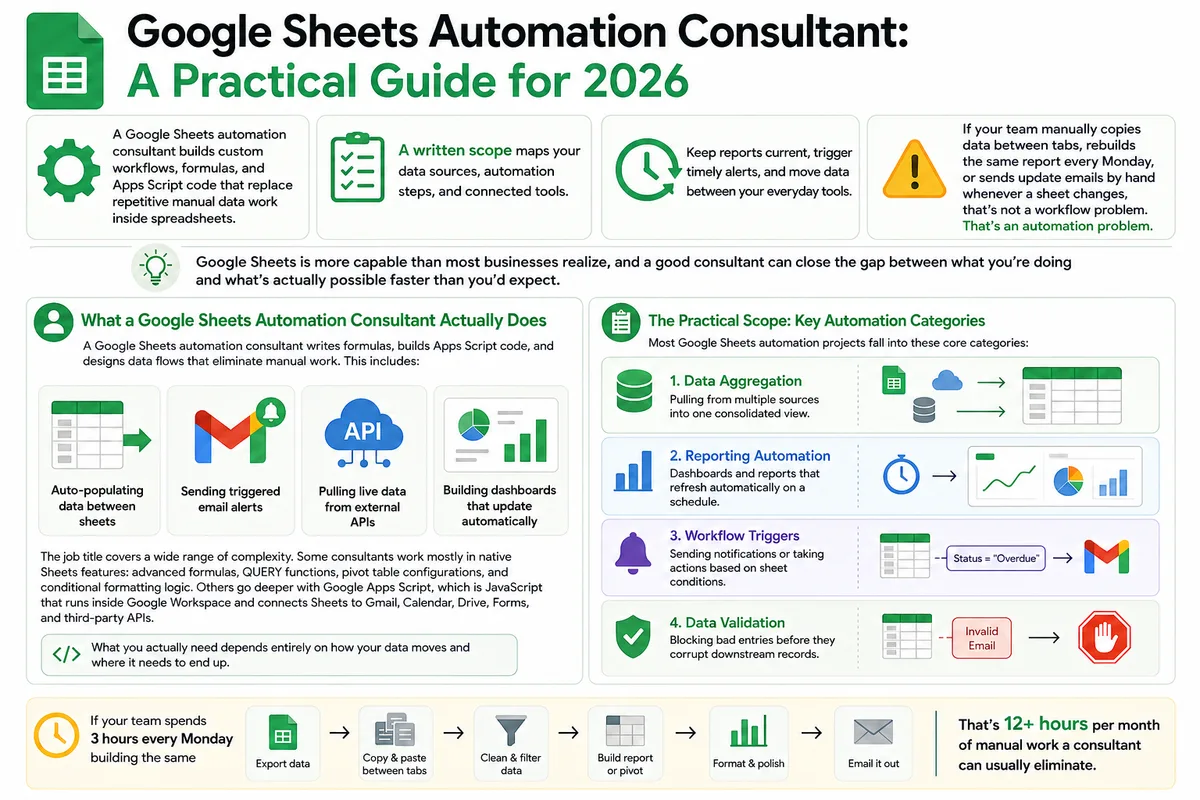
Google Sheets Automation Consultant: A Practical Guide for 2026
Most businesses don't track what spreadsheet work actually costs them. Here's what a Google Sheets automation consultant does in 2026, how to judge the value.
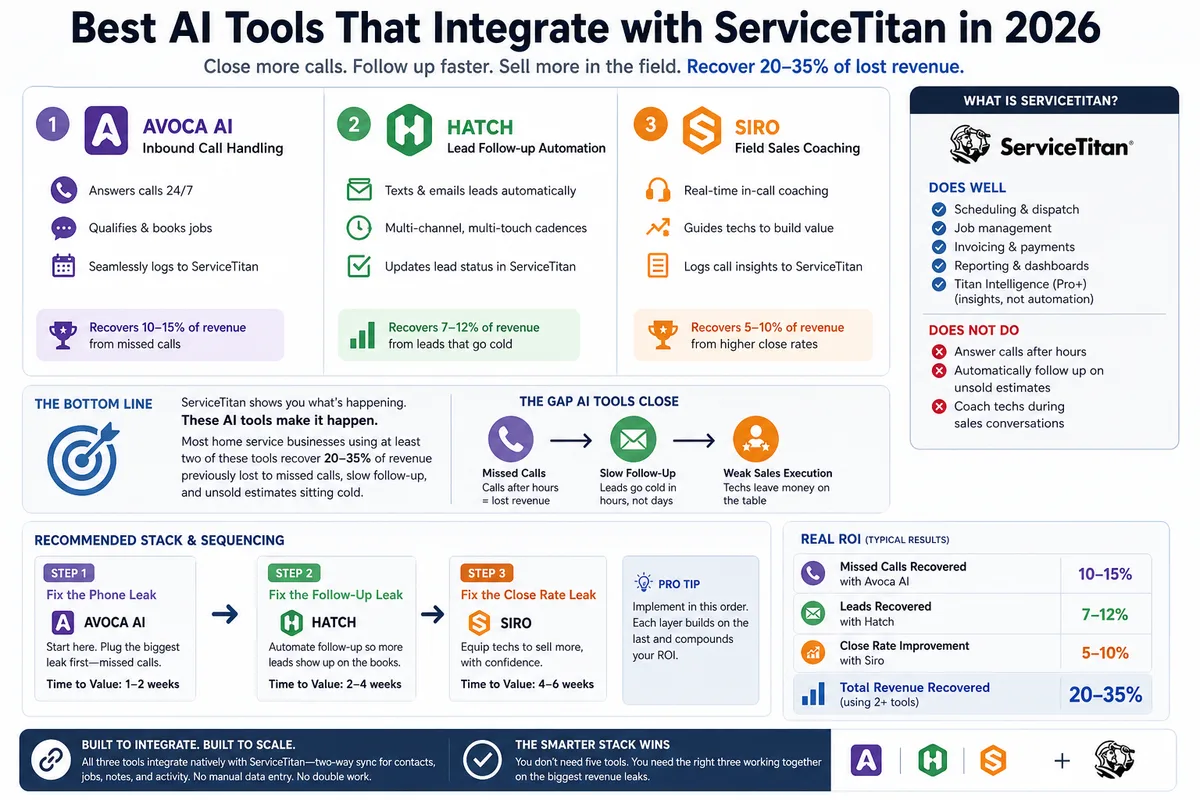
Best AI Tools That Integrate with ServiceTitan in 2026
Most ServiceTitan shops miss a meaningful share of inbound calls and leave most estimates unsold. These AI tools close those gaps inside ServiceTitan.