
What Should an AI Operations Audit Answer Before a Build?
An AI operations audit should identify the workflow under review, how often it runs, who handles it now, what breaks, and what happens if nothing changes. Those answers support one of three next steps: build, wait, or fix the process first.
Learn the exact questions an AI operations audit must answer, from workflow evidence to a stop-or-build recommendation, before any automation build is quoted.
Epiphany Dynamics is an AI automation agency: we help businesses find and fix operational bottlenecks with AI receptionists, lead follow-up, and workflow automation.
The free 30-minute AI Operations Audit is a conversation about a normal week in your business and where the work piles up. We find the one change that would give you the most time back and send you a plain-English plan for it. No forms and no pitch.
Book a free AI audit
Patrick Gibbs
An AI operations audit should identify the workflow under review, how often it runs, who handles it now, what breaks, and what happens if nothing changes. Those answers support one of three next steps: build, wait, or fix the process first. When an answer isn’t available during the audit, the plan should say what still needs to be checked.
Why an audit should come before a proposal
A proposal written before an audit is a guess dressed up as a plan. The audit starts with a conversation about a normal week and any evidence the owner already has. Before a build begins, the plan and quote should state what they’re based on and what still needs to be verified.
Most automation pitches start with a tool: a chatbot, a voice agent, a CRM sync. The problem is that the tool gets chosen before anyone confirms what’s actually broken. A dental practice might be told it needs an AI scheduling assistant when the real issue is that front-desk staff are already answering the phone fine, but canceled appointments aren’t being rebooked. The audit’s job is to catch that mismatch before money moves.
A useful audit ends with a clear next step grounded in the owner’s experience and any numbers already available. When more evidence is needed before a build can be scoped, the plan should name what to verify and where to find it.
What decision questions the audit needs to answer
A useful audit answers five decision questions: which workflow is under review, how often it runs, who handles it now, what breaks when it runs late or inconsistently, and what happens if it stays unchanged. When the available information can’t answer one of them yet, the plan should name the assumption and what to verify.
These questions matter in order. Define the workflow first so everyone is discussing the same work. Then check its frequency, followed by who owns it and what breaks. The impact of leaving it unchanged comes last because that context helps show whether a build is worth considering.
A useful audit walks through:
- Which workflow is being evaluated, in one sentence a non-technical owner would recognize
- How often it occurs (daily, weekly, per booking, per lead)
- Who currently handles it and how much time it takes them
- What breaks or gets missed when it’s handled late or inconsistently
- What happens to the team or customer experience if the workflow stays unchanged
If exact numbers aren’t available during the conversation, the plan should name the assumption being used and what to verify before the build starts.
What workflow evidence actually looks like
Evidence means specific, sourced numbers pulled from the business’s own systems: phone logs, booking software exports, email response times, or a staff time log kept for one to two weeks. Vendor benchmarks and industry averages aren’t evidence for a specific business; they’re a starting hypothesis to test against that business’s own data.
For a veterinary clinic, evidence might be a week of call logs showing how many calls went to voicemail after hours and whether those callers ever called back. For a roofing contractor, it might be a spreadsheet showing how many estimate requests came in versus how many got a same-day response. For a law firm, it might be intake form timestamps compared against the time a partner actually reviewed the file.
The point of gathering this before a build is that it changes the recommendation. A clinic with three missed after-hours calls a week doesn’t need the same investment as one missing thirty. An automation readiness assessment can help a business owner organize this evidence before ever talking to a vendor, and a workflow priority matrix helps rank which workflows are worth auditing first when there are several candidates competing for attention.
How to identify the failure point instead of the obvious symptom
Diagnosis means tracing a workflow to the step where it actually fails, not the step where the failure becomes visible. A missed callback often looks like a phone problem but turns out to be a routing or follow-up problem three steps downstream. Fixing the visible symptom without finding the failure point usually produces automation that doesn’t move the number it was built to move.
Consider a med-spa that thinks it has an answering problem because reception says the phone “never stops ringing.” A closer look might show the phones are actually answered well, but new-patient intake forms sit unopened for two days because nobody owns that inbox on weekends. Automating the phone line in that case does nothing for the actual failure point.
The way to test a diagnosis before committing to it is to ask what would happen if the suspected failure point were removed entirely. If removing it wouldn’t change the outcome, the diagnosis needs another pass.
| Diagnosis question | What it tests |
|---|---|
| Where does the workflow slow down or drop, step by step? | Locates the actual failure point, not the symptom |
| What happens if this step is removed or automated? | Confirms the step is load-bearing before building |
| Is the delay caused by volume, by ownership, or by tooling? | Determines whether automation or a staffing fix is the right response |
| Does the pattern repeat across a full week, or is it a one-off? | Separates a recurring failure from a bad day |
What a stop-or-build recommendation should include
A finished audit ends with one of three honest recommendations: build now because the evidence and cost justify it, wait because the volume is too low to matter yet, or fix a process gap first because no amount of automation solves an ownership problem. A recommendation that always says “build” regardless of the evidence should be checked against the numbers behind it.
The “wait” or “fix the process first” outcome matters because readiness depends on evidence, not urgency. A restaurant averaging four missed reservation calls a week during a slow season may not justify a voice AI build until volume climbs back up. A property management company with two units and one manager may get more value from a simple templated response process than from a full workflow build. Documenting that threshold protects the current budget and makes the eventual scope clearer when the numbers do support a project.
When the audit does support building, the output should specify:
- The exact workflow being automated, described concretely enough that success or failure can be checked later
- The evidence that justified it, so the business can verify the reasoning
- A fixed-price quote once the scope is confirmed
- What would make the project unsuccessful, stated in advance
This is the same standard raised in What Should an AI Automation Agency Prove Before Taking Access?, which covers the access and accountability side of the same relationship. Anyone hiring outside help for this work should also read Is Epiphany Dynamics Legitimate for AI Automation? before sharing system access with any vendor, audit-stage or otherwise.
When deeper workflow analysis isn’t worth doing yet
Deeper workflow analysis can wait when a business has few repeatable workflows, when volume is too low to reveal a pattern, or when the immediate need is a straightforward staffing or process change. A short initial conversation can still clarify that decision without turning it into a build.
A one-person consulting practice booking three calls a week may only need a shared calendar and a reminder habit. Detailed analysis becomes useful once a workflow repeats often enough, and inconsistently enough, that the pattern is difficult to judge from memory.
Where to go from here
A business owner can start with a conversation and no preparation. If call logs, response times, or other rough numbers are already available, they can make the next step more precise; when they aren’t, the audit should identify what to check before a build is scoped.
Start with the free automation readiness assessment to see whether a given workflow even clears the bar for automation, and use the workflow priority matrix if there are multiple candidates competing for the same budget. Epiphany Dynamics offers a free 30-minute AI Operations Audit: a conversation about a normal week in the owner’s business and where the work piles up. It identifies the one change that would give the owner the most time back. The AI automation services page explains the work that can follow, or a business can book the audit directly. The owner keeps the plain-English plan whether or not they choose to build with Epiphany Dynamics.
Frequently Asked Questions
How long should an AI operations audit take?
Epiphany Dynamics’ AI Operations Audit is a free 30-minute conversation, and the owner doesn’t need to prepare anything. If the conversation shows that call logs, response times, or other evidence should be checked, that validation becomes part of confirming the scope for a fixed-price quote.
What should a business receive from an AI operations audit?
The owner should leave with a clear next step they can evaluate before approving a build. Epiphany Dynamics’ free 30-minute audit ends with a short, plain-English plan for the systems that would handle the one change that gives the owner the most time back. The plan belongs to the owner whether or not they hire Epiphany Dynamics.
What if the audit finds the failure point is a person, not a process?
Then automation is the wrong fix. Ownership gaps, where nobody is responsible for a task, usually need a staffing or accountability change before any tool is added, since automating a task nobody owns just creates a new unmonitored system.
Can a small business run part of this audit itself?
Yes, but it isn’t required before the audit. If call logs or response times are easy to pull, they can sharpen the conversation. When they aren’t available, the audit can identify what’s worth checking afterward.
Does every workflow need this level of scrutiny before automating it?
No. Low-volume, low-stakes workflows rarely need detailed analysis. Closer review matters more when a workflow affects revenue or the customer experience often enough for small mistakes to add up, such as missed calls, late follow-ups, or inconsistent scheduling.
Patrick Gibbs
AI Automation Expert
Patrick Gibbs helps professional practices implement AI automation that captures more leads, books more appointments, and scales without adding overhead. He's the founder of Epiphany Dynamics and creator of the AI Front Desk system.
Related Solutions
Build this into a real workflow
Related Posts
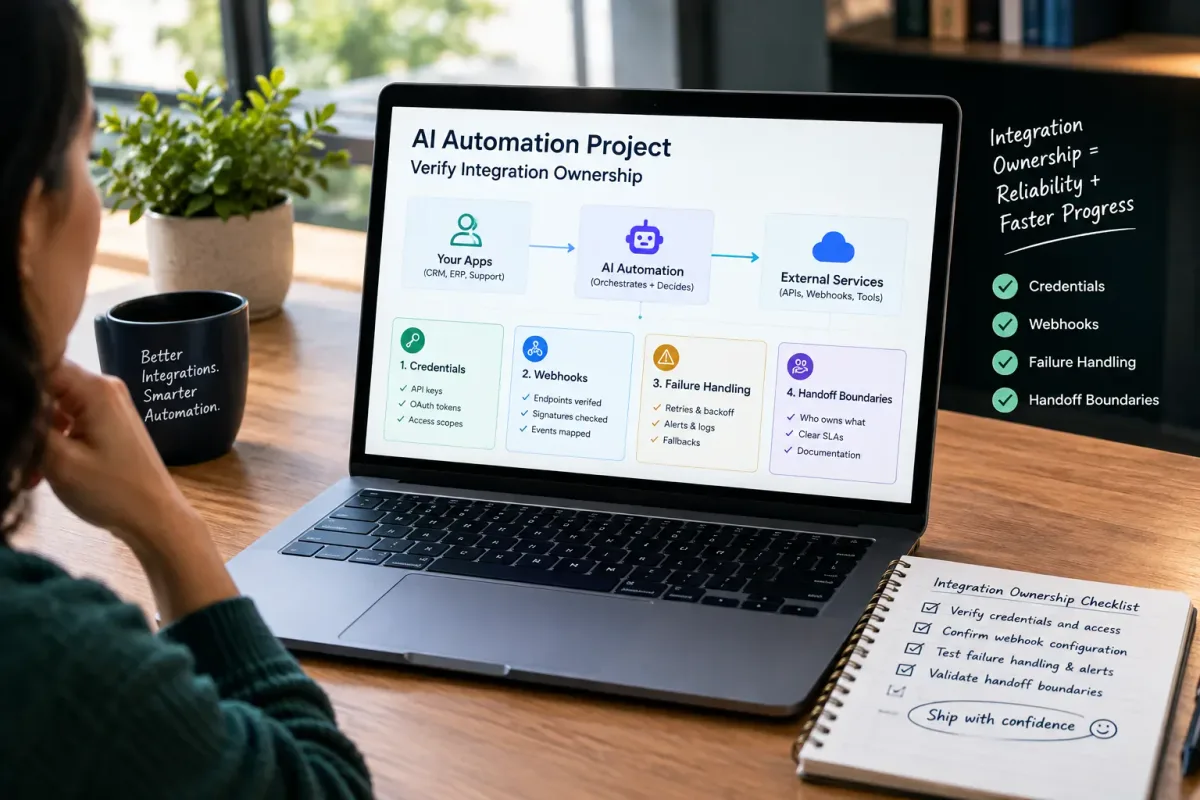
How Do I Verify Integration Ownership in an AI Automation Project?
Learn how to verify integration ownership in an AI automation project, including credentials, webhooks, failure handling, and handoff boundaries.

Who Is Patrick Gibbs and What Does Epiphany Dynamics Build?
Patrick Gibbs founded Epiphany Dynamics to help small and midsize businesses replace missed opportunities and manual busywork with practical AI automation.

What Should an AI Automation Agency Prove Before Taking Access?
Before an AI automation agency touches your systems, it should prove access boundaries, written scope, security practices, test evidence, and a clear ownership record.