
How Do I Verify Integration Ownership in an AI Automation Project?
Verify integration ownership by confirming who holds the account credentials, who controls the webhook endpoints, who is named on API keys and billing, and what happens when a connection fails at 2 a.m. If your automation partner cannot hand you a written answer to each of those, you do not actually own your own systems.
Learn how to verify integration ownership in an AI automation project, including credentials, webhooks, failure handling, and handoff boundaries.
Epiphany Dynamics is an AI automation agency: we help businesses find and fix operational bottlenecks with AI receptionists, lead follow-up, and workflow automation.
The free 30-minute AI Operations Audit is a conversation about a normal week in your business and where the work piles up. We find the one change that would give you the most time back and send you a plain-English plan for it. No forms and no pitch.
Book a free AI audit
Patrick Gibbs
Verify integration ownership by confirming who holds the account credentials, who controls the webhook endpoints, who is named on API keys and billing, and what happens when a connection fails at 2 a.m. If your automation partner cannot hand you a written answer to each of those, you do not actually own your own systems.
What integration ownership actually covers
Integration ownership means you can prove, in writing, who controls access to every system your AI automation touches: your CRM, phone provider, scheduling tool, and payment processor. It is not just “who built it,” it is who can log in, change it, or shut it off without asking permission.
Most small-business owners assume ownership is settled because they signed a contract. It usually is not. A contract tells you who is responsible for delivery. It does not tell you whose email address is on the CRM admin account, whose API key is generating the webhook calls, or who gets the outage alert if a connection breaks overnight. Those details live in account settings, not in the statement of work, and they are the part most owners never check until something goes wrong.
The six records to require for every integration
Before any integration goes live, ask your provider for a written record covering account ownership, credentials, webhook control, failure handling, testing evidence, and the handoff boundary. If they cannot produce these for each connected system, you are relying on trust instead of documentation, and trust does not survive a vendor dispute or a staff change.
| Record | What it should show | Who should hold it |
|---|---|---|
| Account ownership | Which business email owns the CRM, phone, and payment accounts | Your business, not the agency’s staff email |
| Credentials | Where API keys and passwords live, and who can rotate them | Shared password manager under your control |
| Webhook control | Which endpoints trigger automations and who can redirect them | Documented in writing, reviewable by you |
| Failure handling | What happens when a call, webhook, or API request fails | Written escalation path with a named contact |
| Testing evidence | Proof the integration was tested against real scenarios, not just a demo | Logged test cases you can review |
| Handoff boundary | What you can change yourself versus what requires the vendor | A one-page scope document |
This is illustrative structure, not a guarantee of what any specific vendor will offer. The point is that each row should exist as an actual document, not a verbal assurance during a sales call.
A quick ownership audit checklist
Run this five-step check before you approve any AI automation build that touches your CRM, phone system, or scheduling tool. It takes less than an hour and it will surface gaps that are much harder to fix after the system is live and your team depends on it daily.
- Ask for the admin login to your own CRM and phone platform, and confirm the account is registered under your business, not the vendor’s.
- Request the list of every webhook and API connection the automation uses, with plain-language descriptions of what each one does.
- Ask what happens if a webhook fails silently. If the answer is vague, that is a real gap, not a minor detail.
- Ask for test logs or a recorded walkthrough showing the integration handling a real scenario, such as a double-booked appointment or a declined payment.
- Get the handoff boundary in writing: what you can edit yourself, what requires a support ticket, and what requires the original developer.
If a vendor cannot answer step 3 or step 4 with specifics, treat that as a signal to slow down, not a formality to skip. For a deeper look at how integration costs and scope should map to a written estimate, see how much AI integration costs when connecting AI to your existing systems.
Who should hold the keys, you or the agency
In most healthy setups, your business owns the underlying accounts and credentials while the agency holds working access to build and maintain the integration. Ownership and operational access are different things, and conflating them is how businesses end up locked out of their own CRM or phone system.
A field-service company using ServiceTitan AI integration for HVAC workflow automation is a useful example. The business should own the ServiceTitan account, the phone number, and the billing relationship. The automation provider needs API access to build the workflow, but that access should be granted through a role or app-level key tied to the business’s own account, not a personal login the vendor controls. If the relationship ends, the business keeps ServiceTitan, keeps the phone number, and keeps the data. Only the automation layer needs to be rebuilt or replaced.
This distinction matters most at three points: contract signing, staff turnover on either side, and vendor transitions. Each of those moments is when unclear ownership turns into a real business interruption.
When shared ownership creates more risk than convenience
Letting a vendor hold both the account and the credentials can work for a short pilot, but it becomes a real liability once the integration touches revenue, scheduling, or patient and customer data. If you cannot picture how you would operate for one week without that vendor, the ownership setup needs to change before you scale further.
This is not a reason to avoid AI automation. It is a reason to sequence the build so ownership is settled early, before the integration becomes load-bearing for your daily operations. A short, fixed-scope audit is often the cleanest way to check this before committing to a larger build. If you already have an automation partner and are unsure whether current access is set up correctly, what an AI automation agency should prove before taking access walks through the questions worth asking directly. You can also see how we approach this ourselves on our services page, or book a free AI audit to get a written ownership map for your current setup.
Frequently Asked Questions
What does “integration ownership” mean in an AI automation project?
It means your business, not the vendor, controls the core accounts, credentials, and webhook endpoints that the automation depends on. Ownership is separate from who built the system or who maintains it day to day.
How do I check who owns my CRM or phone integration right now?
Log into the account directly and check which email address is listed as the primary owner or admin. If it belongs to a vendor’s staff member rather than your business, that is worth resolving before the relationship goes further.
What happens if a webhook fails and nobody documented it?
The automation can silently stop working, and calls, bookings, or payment triggers can drop without anyone noticing until a customer complains. This is why written failure handling matters as much as the initial build.
Is it normal for an agency to hold some access during setup?
Yes. Most integrations require the vendor to have working access during build and testing. The issue is not temporary access, it is whether the underlying account ownership and credentials revert clearly to your business afterward.
When should I get a third party to check integration ownership?
If you inherited an automation build from a previous vendor, if staff changed on either side, or if you are about to scale an integration into a revenue-critical process like billing or scheduling, a short audit before expanding is a reasonable step. Related reading on what to look for in an AI automation agency for SMBs covers broader vetting questions beyond ownership alone.
Patrick Gibbs
AI Automation Expert
Patrick Gibbs helps professional practices implement AI automation that captures more leads, books more appointments, and scales without adding overhead. He's the founder of Epiphany Dynamics and creator of the AI Front Desk system.
Related Solutions
Build this into a real workflow
Related Posts
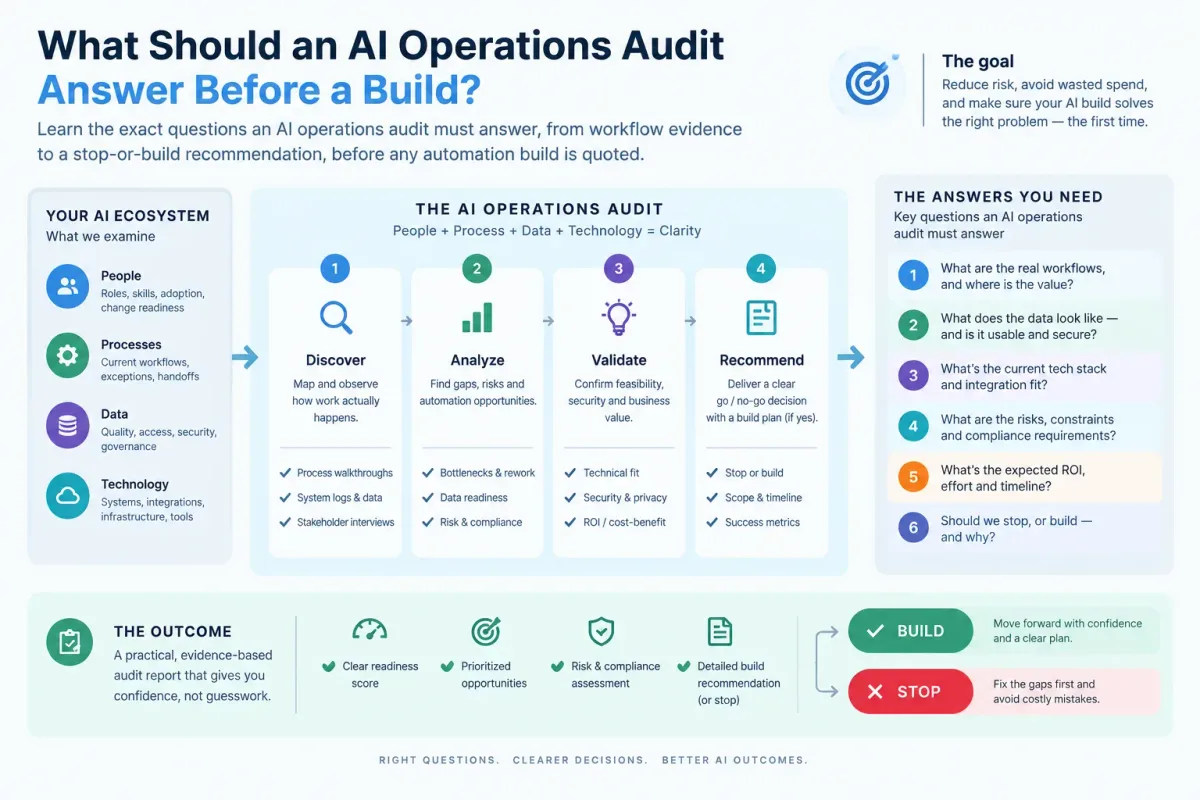
What Should an AI Operations Audit Answer Before a Build?
Learn the exact questions an AI operations audit must answer, from workflow evidence to a stop-or-build recommendation, before any automation build is quoted.
Who Is Patrick Gibbs and What Does Epiphany Dynamics Build?
Patrick Gibbs founded Epiphany Dynamics to help small and midsize businesses replace missed opportunities and manual busywork with practical AI automation.

What Should an AI Automation Agency Prove Before Taking Access?
Before an AI automation agency touches your systems, it should prove access boundaries, written scope, security practices, test evidence, and a clear ownership record.