
Reducing Front Desk Costs with AI: What the Numbers Show
The fully-loaded cost of a front desk role includes salary, payroll burden, benefits, PTO, training, coverage gaps, and turnover risk. AI automation can take over parts of that workload: answering routine calls, booking appointments, sending reminders, and fielding common questions around the clock.
Front desk labor costs more than base wages. Here's what AI automation actually replaces, what it doesn't, and how to calculate real ROI.
Epiphany Dynamics is an AI automation agency: we help businesses find and fix operational bottlenecks with AI receptionists, lead follow-up, and workflow automation.
The free 30-minute AI Operations Audit is a conversation about a normal week in your business and where the work piles up. We find the one change that would give you the most time back and send you a plain-English plan for it. No forms and no pitch.
Book a free AI audit
Patrick Gibbs
The fully-loaded cost of a front desk role includes salary, payroll burden, benefits, PTO, training, coverage gaps, and turnover risk. AI automation can take over parts of that workload: answering routine calls, booking appointments, sending reminders, and fielding common questions around the clock. The business case isn’t simply “replace your receptionist”: it’s understanding precisely which tasks AI handles reliably, which require human judgment, and how to calculate ROI for your specific situation before committing. This guide covers the staffing-cost model, where automation can deliver savings, and what a realistic implementation looks like.
The front desk is the nerve center of almost every service business: the first voice clients hear, the person who books appointments, fields complaints, answers the same questions repeatedly, and keeps the schedule from falling apart. It is also, when you do the math carefully, one of the most expensive positions you employ. Not because the salary is unusually high, but because the total cost of keeping that seat filled includes benefits, turnover, training, coverage gaps, and management time that never appears in the base wage.
AI automation has moved far enough beyond the press-1-for-billing IVR systems of the 2000s, as our guide on whether AI can handle phone calls shows, that it now handles real front desk workloads: answering phones, booking appointments, sending reminders, and responding to common questions, around the clock, without sick days or turnover. But the business case for it is not as simple as “replace your receptionist and save money.” The reality is more nuanced, and the owners who get the most from it are the ones who understand exactly what AI can and cannot handle before they commit to anything.
This guide breaks down the planning model: what front desk staffing truly costs, where automation can deliver savings, how to calculate ROI for your specific situation, and what a realistic implementation looks like.
The True Cost of Front Desk Staffing
Most business owners think of front desk cost as a salary number. That is the first mistake. Salary is only the start of the cost equation. The real question is what the seat costs once you include employer taxes, benefits, paid time off, training, management overhead, and turnover.
Once you layer in employer-side costs, the real number climbs quickly. The sample model below is not a market benchmark; it is a worksheet format for building your own fully-loaded cost from payroll records and benefits data.
Then there is turnover. Recruiting, onboarding, training, and lost productivity during ramp-up all belong in the model. Instead of using a generic turnover benchmark, calculate your own replacement cost from recent hiring history and the amount of manager time required to get a new employee productive.
| Cost Component | Example Annual Cost (Per Employee) | Notes |
|---|---|---|
| Base Salary | $36,000 – $45,000 | Example salary band; replace with your payroll data |
| Payroll Taxes (FICA) | $2,750 – $3,440 | Example employer payroll-tax line item |
| Health Insurance | $4,000 – $8,000 | Example employer contribution only |
| Paid Time Off | $1,400 – $2,600 | Example paid-time-off allocation |
| Workers' Comp & Other Insurance | $500 – $1,200 | Industry-dependent |
| Training & Onboarding (amortized) | $1,500 – $4,000 | Example replacement-cost allowance |
| Example Fully-Loaded Annual Cost | $46,150 – $64,240 | Per front desk employee |
For a business operating multiple front desk employees, the annual cost scales quickly once each seat is fully loaded. That figure still does not include the hours managers spend handling scheduling conflicts, HR issues, or coverage gaps when someone calls out sick.
What Your Front Desk Staff Actually Do All Day
Before evaluating any automation solution, it is worth doing a task audit: breaking down what a front desk employee actually spends their time on. Across service businesses, the bulk of inbound call volume consists of routine, repetitive queries: appointment scheduling, confirmation, rescheduling, cancellations, hours and location information, pricing questions, and intake instructions.
This matters because not all front desk tasks are equal from an automation standpoint. Some are highly structured, predictable, and rule-based, exactly where AI excels. Others require human judgment, empathy, and situational awareness, exactly where AI still falls short. The key to building a cost-effective model is correctly sorting your task types before you start changing anything.
A practical approach is a short task log. Have your front desk staff track every task they perform and note its type. Your distribution might include:
- Scheduling and booking: a large share of total workload, highly automatable
- Confirming and reminding: often automatable
- Answering routine questions (hours, pricing, directions, services): often automatable
- Check-in and payment processing: partially automatable
- Complex calls, complaints, escalations: human required
- Admin tasks (intake forms, chart prep, coordination): partially automatable
If your own audit shows that routine scheduling, confirmation, reminder, and FAQ work dominates the day, you have a stronger automation case. If your business involves a high volume of complex, sensitive, or emotionally charged interactions (a mental health practice, for example, or a specialty medical office), the math shifts considerably. Know your actual distribution before building a business case.
For additional background, see How to Deal with No-Shows: A Real Fix for Service Businesses in 2026.
The Four Areas Where AI Automation Delivers Real Savings
1. AI Phone Answering and Voice Agents
Modern AI voice agents (not the rigid menu trees of legacy IVR systems, but conversational AI built on large language models) can now handle inbound phone calls with natural dialogue. They understand variations in how people speak, can access your scheduling system in real time, book appointments, answer questions, and collect intake information. Quality systems pass callers to a human when the conversation moves outside their trained scope.
The practical implication: if your call audit shows that routine bookings and FAQ calls dominate inbound volume, a voice agent may be able to handle much of that load without staff involvement. The AI never puts someone on hold, never takes a lunch break, and never misses after-hours calls when the office is closed. For businesses that generate significant revenue from appointments, missed-call recovery can be part of the business case: the cost of missed calls is often higher than owners assume.
2. Online Scheduling and Booking Automation
Online scheduling tools (Acuity, Mindbody, Jane, Calendly, and dozens of industry-specific platforms) have existed for years, but adoption has been uneven. Businesses that fully integrate real-time booking into their website and social channels reduce friction for clients who prefer self-service. That is not AI in the most technical sense, but it is automation that can directly reduce front desk labor hours with modest implementation complexity.
The newer layer is AI that sits on top of scheduling software, handling the conversational interface via chat or phone and pushing confirmed appointments directly into your calendar. This closes the gap for clients who want to book but prefer talking over typing, a population that remains significant across most demographics, particularly in healthcare and wellness.
3. Automated Appointment Reminders and Confirmations
No-shows are direct lost capacity: an appointment slot that simply does not happen, and a time slot that often cannot be backfilled on short notice. The downstream effect is also real: a client who no-shows once without consequence may be more likely to do it again.
Automated text and email reminder sequences, especially when they include a one-click confirmation or rescheduling link, can reduce no-shows when the timing and channel match the customer base. Calculate the impact from your own baseline: monthly appointments x no-show-rate improvement x average appointment value.
4. AI Chat and Web-Based Inquiry Handling
Website visitors who have questions are often seconds away from either booking or leaving. An AI chat widget trained on your services, pricing, policies, and FAQs can engage those visitors instantly, answer their questions, and route them toward booking, without requiring staff to monitor a chat queue. For businesses running any digital advertising or receiving organic search traffic, this can close a conversion gap that costs real revenue every day it remains open.
Running the Numbers: A Hypothetical Capacity Scenario
Abstract percentages only go so far. The following illustrative example works through a medical spa scenario with sample staffing, appointment, inbound-call, and AI-system cost assumptions. Replace every input with your own baseline before making a staffing decision.
Example baseline situation:
- 2 full-time front desk employees, example fully-loaded cost: $52,000 each = $104,000/year
- Example appointment input: 220 appointments per month, average service value: $210
- Example current no-show rate: 18% (about 40 no-shows/month)
- Example inbound-call input: 350 inbound appointment-seeking calls per month
- Example missed inbound calls: 25% (about 88 missed calls/month)
- Example call-to-appointment conversion rate: 35%
Hypothetical staffing assumption: The table models one part-time role (20 hours/week at $18/hour) after a workflow change. It does not demonstrate that this coverage is adequate or recommend eliminating staff. First verify workload, in-person duties, break coverage and escalation needs. Any actual staffing plan must cover those responsibilities.
| Category | Before AI | After AI | Contribution to Illustrative Subtotal |
|---|---|---|---|
| Front desk labor cost | $104,000/yr | $18,720/yr (1 PT at 20 hrs/wk) | +$85,280 |
| AI system cost | Not applicable | $6,000 – $9,600/yr | −$6,000 to −$9,600 |
| Missed call revenue recovery* | $0 captured | ~$23,280/yr (example 30% capture rate) | +$23,280 |
| No-show reduction (example 40% improvement)** | ~40 no-shows/mo | ~24 no-shows/mo | +$40,320/yr |
| Subtotal Before Service Delivery Costs | ~$139,280 – $142,880 | ||
** Illustrative missed call recovery calculation: example inbound-call volume is 350 calls/month. At a 25% missed-call rate, that is about 88 missed calls. At 35% conversion and $210 average value: 88 x 0.35 x $210 = $6,468/month gross potential. Capturing 30% of that previously missed-call pool is about $1,940/month; rounded monthly output x 12 = $23,280/year.*
*** Illustrative no-show improvement calculation: example appointment volume is 220 appointments/month. At an 18% no-show rate, that is about 40 no-shows/month. A 40% improvement means about 16 fewer no-shows. 16 x $210 = $3,360/month, or $40,320/year.*
In this illustrative model, the retained component rows tie out as follows: $85,280 in labor reduction + $23,280 in missed-call recovery + $40,320 in no-show improvement - $6,000 to $9,600 in AI system cost = about $139,280 to $142,880 in an arithmetic subtotal before the costs of delivering additional appointments, payroll overhead on the retained role and implementation. It is not net profit. Avoid double-counting appointments recovered through both calls and reminders. Your payback period depends on your own quote, staffing plan, no-show baseline, and call-capture baseline.
It is also worth noting that these numbers can compound. A business that misses appointment-seeking calls is not just losing the first appointment: it may be losing the lifetime value of those clients. Calculate that separately from your repeat-visit frequency, retention data, and referral history instead of borrowing a generic lifetime-value number.
How to Implement AI Front Desk Automation Without Disrupting Operations
The biggest failure mode for AI front desk deployments is not the technology: it is the rollout. Businesses that try to flip a switch and replace everything at once almost always hit problems: staff resentment, client confusion, edge cases the system was not trained for, and no fallback when something goes sideways. A phased approach usually gives the team a cleaner path to adoption.
Phase 1: Audit and Baseline
Before touching anything, measure what you have. Log your actual inbound call volume for a short baseline period. Categorize every call by type: scheduling, FAQ, complaint, and so on. Track no-show rates and estimate your missed call volume. This baseline makes your ROI case concrete and gives you a benchmark to compare against after implementation.
Phase 2: Start with the Easiest Win
Deploy automated appointment reminders and confirmations first. This requires no phone system changes, carries low risk of alienating callers, and produces a clean before-and-after metric. It also gets your team comfortable with the idea that automation is helping the practice, not threatening jobs.
Phase 3: Add Self-Service Booking
Integrate real-time online booking if you have not already. This reduces inbound call volume before you change anything about your phone answering system, which matters. You want the AI handling a manageable call volume on day one, not a volume spike you were not prepared for. Most scheduling platforms offer this functionality as a built-in feature or low-cost add-on.
Phase 4: Deploy AI Phone Answering
This is the highest-impact step, which is why it comes last. Evaluate vendors rigorously. Test the system yourself before deploying it to real clients: call it the way your most demanding client would. Key evaluation criteria:
- Direct integration with your scheduling software: if it cannot write confirmed appointments to your calendar, it creates more work, not less
- Clear escalation protocols: the AI should recognize when to route to a human, not attempt to handle everything
- Industry compliance: HIPAA for healthcare and wellness, PCI compliance for payment-adjacent workflows
- Transparent logging: you need visibility into what the AI is telling your customers, with recorded calls and transcripts
- Pilot period: any reputable vendor should offer a trial before a multi-month contract
Phase 5: Measure and Optimize (Ongoing)
Track the same metrics you established in Phase 1 every month. Call abandonment rate, no-show rate, missed call rate, and staff hours per appointment booked are the core KPIs. AI systems improve with configuration: if a specific call category is being handled poorly, work with your vendor to improve routing logic or training scope. Expect tuning after launch instead of judging the system only by its first configuration.
What AI Automation Cannot Replace (And Should Not Try To)
The most common mistake in this space is treating AI front desk automation as an all-or-nothing proposition. Either you keep all your staff or you replace all of them. Neither extreme makes sense for most businesses, and it is worth being honest about where the technology still falls short.
Complex complaints and upset clients require human judgment in ways current AI systems handle poorly. An AI can acknowledge frustration and offer to connect someone with a manager, but it cannot read tone effectively, de-escalate a genuinely agitated caller, or make real-time judgment calls about what concession to offer and when. Clients who are upset and encounter an AI often become more upset. For businesses where client retention is a critical metric, this is a material risk that should factor into deployment decisions.
Relationship-based upselling is something experienced front desk staff do naturally but AI does awkwardly. A skilled receptionist who knows a client personally can mention a new service at exactly the right moment, and it feels like a recommendation from someone who knows them. The same prompt from an AI feels like an algorithm. For businesses where upselling is a meaningful revenue driver (medical spas, salons, wellness centers, specialty service practices), the human relationship element has economic value that belongs in the ROI calculation.
Novel situations outside training scope expose every AI system’s limitations. Your AI phone agent is trained for the scenarios you anticipated. A client calling in obvious distress, a question about a treatment complication, an unusual request that requires judgment outside established policies: these either get handled badly or trigger an escalation. The more variable and sensitive your typical client interactions, the more critical it is that human staff are genuinely reachable during business hours, not just theoretically available.
The right model for most service businesses is not “AI instead of staff.” It is “AI handles volume, humans handle judgment.” One experienced front desk employee who manages complex calls, in-person check-in, and client relationships, backed by AI handling routine scheduling and communication load, is a more effective and more sustainable operation than either extreme. The cost savings come from eliminating the second or third seat that was previously required just to keep up with volume, not from removing the human element entirely.
Building a Front Desk That Scales Without Bleeding You Dry
The economics of AI front desk automation are real and increasingly difficult to ignore. For many service businesses, the combination of labor cost reduction, missed revenue recovery, and no-show-rate improvement can create a financial case worth modeling carefully. But the businesses that execute this well are the ones that enter with clear baseline data, realistic expectations, and a phased rollout plan that treats automation as a complement to their team rather than a wholesale replacement.
Start by doing the math on your own business: your actual call volume, your no-show rate, your estimated missed call percentage, your fully-loaded staffing cost. Once the numbers are on paper, the path forward becomes clearer. A short task audit costs you nothing and gives you what you need to build a legitimate ROI case for whatever investment makes sense at your scale.
The voice AI adoption data for small businesses confirms that early adopters are already building these structural advantages. The front desk of the next decade will not look like the one most service businesses operate today. The businesses that find the right human-AI balance now, rather than waiting until the competitive pressure is obvious, will build a structural cost advantage that compounds over time. Lower operating costs mean more budget for marketing, better client experience, and sustainable growth without the fragility of a staffing model that breaks every time someone quits unexpectedly. That is not a technology argument. It is a business fundamentals argument.
If you operate a service business with significant appointment volume and are evaluating purpose-built AI front desk systems designed specifically for your industry, it is worth looking at dedicated solutions from companies focused on this problem, including options like those being developed by Epiphany Dynamics, which builds AI front desk tools built for service-based businesses. The landscape of available tools has matured considerably, and the difference between a generic chatbot and a purpose-built solution for your industry is significant enough to evaluate carefully before committing.
Frequently Asked Questions
Q: What is the fully-loaded cost of a front desk employee for a service business?
The fully-loaded annual cost of a front desk employee is the base wage plus employer taxes, benefits, paid time off, workers’ compensation, training, turnover, and management overhead. Build the number from your own payroll and benefits data instead of relying on a generic benchmark.
Q: What percentage of front desk tasks can AI actually automate?
AI is strongest on structured, repeatable tasks: appointment scheduling and rescheduling, confirming and reminding, and answering routine questions. The remaining tasks (complex complaints, emotionally charged interactions, in-person check-in, and relationship-based upselling) still require human judgment and empathy. Knowing your actual distribution before selecting an automation strategy is critical to building an accurate ROI case.
Q: How much revenue can AI front desk automation recover from missed calls?
Use this formula: missed inbound calls x call-to-appointment conversion rate x average service value x expected recovery share. That gives you gross potential, not guaranteed revenue. For businesses with higher appointment values or higher missed-call rates, the number scales proportionally, but it should come from your own call logs and close rates.
Q: What is the best way to implement AI front desk automation without disrupting current operations?
The lowest-risk implementation sequence starts with automated appointment reminders because they require no phone-system changes and create a clean before-and-after metric. The second phase adds online self-service booking to reduce inbound call volume before changing phone answering. Only after baseline volume is understood and staff buy-in is established should you deploy AI phone answering. This phased approach is less disruptive than a big-bang deployment that creates confusion and damages the internal reputation of the technology.
Q: Should a service business completely replace its front desk staff with AI?
The optimal model for most service businesses is not AI instead of staff: it is AI handling volume while humans handle judgment. One experienced front desk employee managing complex calls, in-person check-in, and client relationships, backed by AI handling routine scheduling and communication load, is often stronger than either extreme. The savings come from reducing the extra seat required just to keep up with volume, not from removing the human element that creates the experience quality your customers pay for.
Patrick Gibbs
AI Automation Expert
Patrick Gibbs helps professional practices implement AI automation that captures more leads, books more appointments, and scales without adding overhead. He's the founder of Epiphany Dynamics and creator of the AI Front Desk system.
Related Solutions
Build this into a real workflow
Related Posts

AI Automation Agency for SMBs: What to Look For
A practical guide to choosing an AI automation agency for SMB workflows, from call intake and scheduling to CRM updates, follow-up, and maintenance.

Best AI Receptionist for Small Business: How to Choose
The best AI receptionist for a small business is the one that answers quickly, books or routes correctly, escalates cleanly, and fits the tools your team.
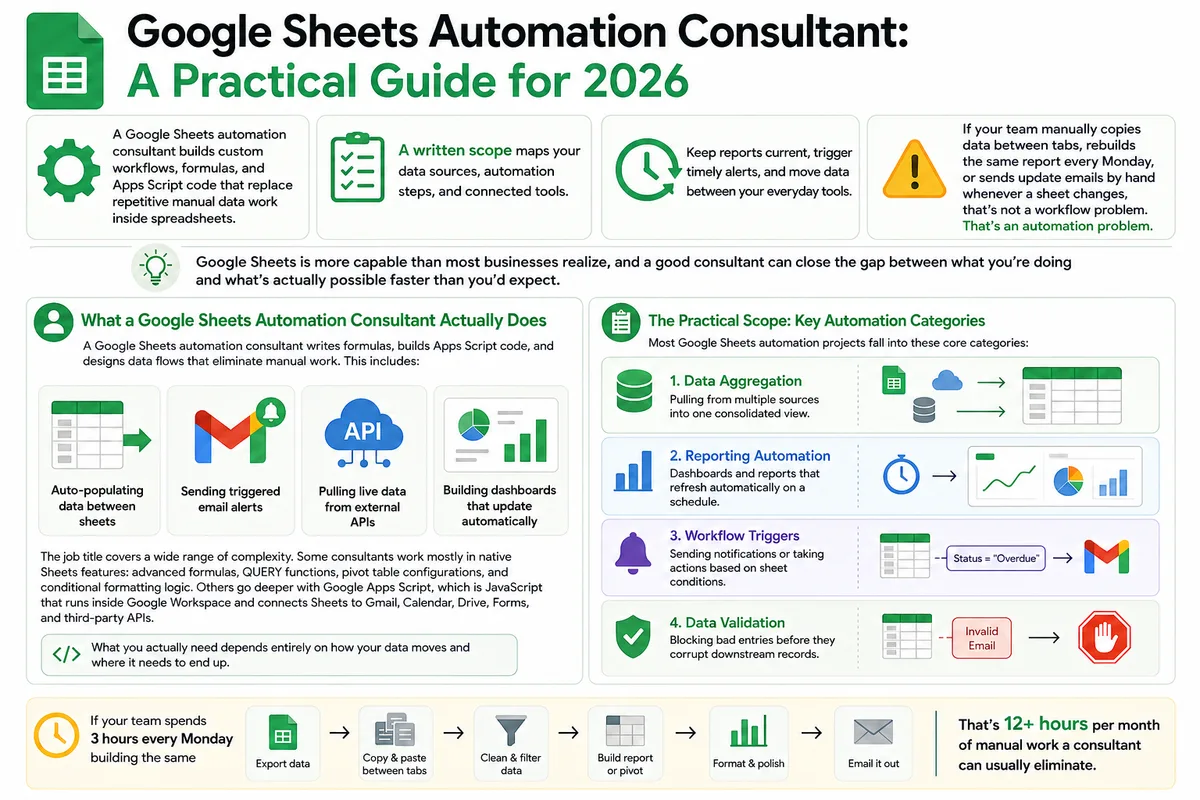
Google Sheets Automation Consultant: A Practical Guide for 2026
Most businesses don't track what spreadsheet work actually costs them. Here's what a Google Sheets automation consultant does in 2026, how to judge the value.