
Does AI Automation Require Coding? The Honest Answer for 2026
Most AI automation tools in 2026 don't require traditional coding. Platforms like Make, Zapier, and n8n let non-technical users build working workflows in hours, and low-code platforms have absorbed a growing share of application development in recent years.
Most AI automation tools don't require coding to start, but as workflows grow more complex, code shows up more often than the platform demos suggest.
Epiphany Dynamics is an AI automation agency: we help businesses find and fix operational bottlenecks with AI receptionists, lead follow-up, and workflow automation.
The free 30-minute AI Operations Audit is a conversation about a normal week in your business and where the work piles up. We find the one change that would give you the most time back and send you a plain-English plan for it. No forms and no pitch.
Book a free AI audit
Patrick Gibbs
Most AI automation tools in 2026 don't require traditional coding. Platforms like Make, Zapier, and n8n let non-technical users build working workflows in hours, and low-code platforms have absorbed a growing share of application development in recent years. The catch: once workflows involve real data transformation or custom API calls, coding becomes nearly unavoidable.
What "No-Code" Actually Means in Practice
No-code AI automation means building workflows through visual interfaces: connecting apps, setting triggers, and defining actions without writing code. Tools like Make, Zapier, and n8n handle millions of automations this way every day. The no-code market has grown into a multibillion-dollar category, driven by businesses that need automation results without hiring engineers.
The pitch is legitimate. If you want an automation that fires when a form submits, logs a row to a spreadsheet, sends a Slack notification, and generates an AI-written summary email, you can build that in under an hour with zero technical background. That's not marketing copy. That's the actual experience when the workflow is linear and the data coming in is clean and predictable.
What's worth understanding is what "no-code" is actually abstracting. When you drag a "Send Email" block into Make, there's SMTP connectivity behind it, OAuth authentication, rate limit handling, retry logic on failed sends. You didn't write any of it, but someone did. The platform did. You're borrowing pre-built code through a visual interface. That distinction matters when you hit the edges of what the platform supports, because those edges come up faster than the demos suggest.
The evolution of no-code tools over the past few years has been real. AI steps that once required custom API calls are now native integrations in Zapier and Make. What would have taken a developer a full day in 2022 takes a non-technical operator an afternoon in 2026. But the ceiling has moved, not disappeared. Complex workflows eventually need someone who understands what's happening underneath the visual layer.
Where Coding Shows Up Even When You're Not Writing It
Even on no-code platforms, scripting surfaces quickly once real business logic enters the picture. Zapier's "Code by Zapier" step, Make's HTTP modules, and n8n's Function nodes all exist because visual dropdowns can't express everything. Once workflows touch custom data formats, non-standard API calls, or conditional logic with more than a few branches, the visual interface stops being sufficient. Someone ends up writing code anyway.
This is where a lot of business owners get surprised. They start a project expecting to stay fully no-code, and a few weeks in they're staring at a JSON transformation problem the interface can't solve. That's not a failure. It's just the reality of how messy real business data is. If your CRM stores phone numbers as (555) 123-4567 but your SMS platform expects 15551234567, someone has to write the cleanup function. It's four lines of JavaScript. But it's still code.
The AI layer adds another dimension to this. When you're wiring a language model into a workflow, you're designing a system, not just connecting apps. Prompts are logic. Output parsing is logic. If the model returns something unexpected and your automation crashes, you need to handle that failure. No-code platforms are improving here, but structured output validation and error handling for AI steps still often require scripting knowledge. To see how AI and automation layers actually interact, this overview of AI inside automated workflows breaks down how each layer works and what it costs to build and maintain.
The Spectrum: From Drag-and-Drop to Custom Build
AI automation exists on a spectrum from visual no-code tools to fully custom-coded systems. Most real business use cases land in the middle: a no-code foundation with custom logic layered on top. Matching the build approach to the actual complexity of the workflow is what separates automations that run reliably for years from ones that require constant repair.
Here's a practical breakdown of where different types of automations fall:
| Use Case | Coding Required? | Best Approach | Typical Build Time |
|---|---|---|---|
| Lead form to CRM and follow-up email | No | No-code (Zapier, Make) | 1-2 hours |
| AI-generated meeting summaries to Slack | Minimal (prompt design) | No-code with AI step | 2-4 hours |
| PDF invoice parsing and validation | Light scripting | Low-code (n8n + JS) | 1-2 days |
| AI voice receptionist with custom routing | Yes (API integration) | Custom and platform hybrid | 1-2 weeks |
| CRM workflow with conditional branching | Yes (moderate) | Custom build | 2-4 weeks |
A dental practice connecting reminders, follow-up and review requests may need configuration plus custom integration work. The build effort depends on API access, existing data and the exception paths. Ask the builder to demonstrate those connections and estimate the work against a written scope; a generic hour range cannot establish the effort for your systems.
For another angle, see How to Learn AI Automation in 2026: A No-Fluff Roadmap.
When No-Code Hits Its Ceiling
No-code platforms become a liability in specific situations: when data transformation is complex, when error handling needs to be airtight, when security requirements like HIPAA or PCI apply, or when conditional branches make the visual canvas harder to debug than actual code would be. At that point, the interface becomes the obstacle, not the business problem.
I've seen automations built in Zapier with 47 steps and multiple nested "Paths" branches. It technically worked. But when something broke at step 31, troubleshooting it was a genuine mess. A structured script with proper logging is actually easier to maintain than a sprawling visual workflow at that scale. The "no-code is simpler" argument breaks down when complexity scales, and platforms rarely tell you where that line is before you've already crossed it.
Healthcare and financial services hit this ceiling faster than most industries. Handling patient data or payment information means you can't just wire up any third-party integration and move on. Audit logs, data controls, and access management need deliberate architecture decisions. The HIPAA-aware AI receptionist guide covers exactly where the technical requirements surface and what they mean for how you build, whether you're starting from a no-code tool or going fully custom.
There's also the maintenance angle that catches people off guard. No-code workflows break when third-party apps update their schemas, when platforms move features behind higher pricing tiers, or when an API version is deprecated. A custom-coded integration with error logging tells you immediately what broke and why. A broken Zap often just stops quietly and you don't know until a customer complains. That's not a reason to avoid no-code tools entirely, but it's a real consideration before you build anything customer-facing on one.
How to Choose the Right Path
Start with the simplest tool that can do the job reliably over time. If the workflow fits inside a no-code platform's native integrations, use it. If you're already adding workarounds at the design stage, that's the signal to step up. The real bar to set for any automation: will it still work in six months without someone constantly patching it?
A practical way to evaluate: list every step in the workflow. For each step, ask whether the data flowing through it is clean and predictable, or variable enough to produce edge cases. More than two or three steps with real edge cases pushes the project toward low-code or custom territory. One edge case handled by a Function node is manageable. Six edge cases distributed across a visual workflow is a maintenance problem that will cost you more in time than a proper build would have.
The stakes of the workflow matter too. An internal daily summary that occasionally fails is inconvenient. A customer-facing flow handling bookings, payments, or lead follow-up needs to be solid. Calculating the actual ROI of the build often shows that spending more on a custom solution pays back faster because the failure rate drops and ongoing maintenance shrinks significantly. Before committing to any tool or any person, the automation audit checklist is worth working through first to map what you actually have and where the real gaps are.
The businesses that get the most out of automation usually start with no-code tools to understand what they actually need, then bring in help once the scope is clear. Hiring someone before you know what you want means paying for their time while you figure it out. Building something complex yourself when it genuinely requires expertise means ending up with something fragile. If you're at the point of deciding between those two paths, this breakdown of what AI automation agencies actually build and manage gives a realistic picture of what professional help looks like and what problems it's best suited to solve.
At Epiphany Dynamics, the projects that end up most tangled are almost always the ones where someone forced complex logic into a no-code tool because the word "code" felt like a barrier. It doesn't have to be. Figure out what the job requires, pick the tool that fits, and don't let the interface be the constraint.
Frequently Asked Questions
Q: Can you build AI automations in Zapier and Make without writing any code?
Yes, for workflows involving standard integrations and linear processes. Tools like Make and Zapier handle email routing, data logging, AI text generation, and notifications entirely through visual interfaces with zero code required. The limitation appears when you need custom data transformations, conditional logic beyond simple if/then statements, or integration with APIs that aren't natively supported—at which point even these platforms push users toward custom code blocks.
Q: At what point does building workflows require coding skills?
Once you move beyond connecting pre-built app blocks and matching data fields, coding often becomes necessary. Common triggers include transforming raw data (reshaping JSON, extracting specific values from unstructured text), calling custom or lesser-known APIs, and implementing complex conditional logic with loops or nested structures. Most business automations stay simple enough to remain code-free, but those involving real data cleaning or legacy system integration consistently require at least basic scripting.
Q: What percentage of real-world automation tasks can no-code platforms complete without code?
Most typical business automations (form submissions, notifications, data logging, and AI summarization) can be completed entirely in no-code platforms. The remainder require custom code or developer involvement, typically because they involve legacy systems, complex data transformations, or integration with non-standard APIs. Your actual mix depends heavily on whether your data sources are structured and whether you can accept the limitations of pre-built integrations.
Q: Which AI automation tasks require custom code that no-code tools can't handle?
Tasks requiring real-time data transformation at scale, multi-step recursive workflows, and integration with proprietary or internal APIs typically demand coding. No-code tools excel at orchestrating existing AI services like GPT and Claude, but fall short when you need to build custom ML pipelines, parse complex unstructured data in specific ways, or implement stateful logic persisting across workflow runs. If your automation touches a homegrown system or requires specialized data preprocessing, plan for developer involvement.
Patrick Gibbs
AI Automation Expert
Patrick Gibbs helps professional practices implement AI automation that captures more leads, books more appointments, and scales without adding overhead. He's the founder of Epiphany Dynamics and creator of the AI Front Desk system.
Related Solutions
Build this into a real workflow
Related Posts
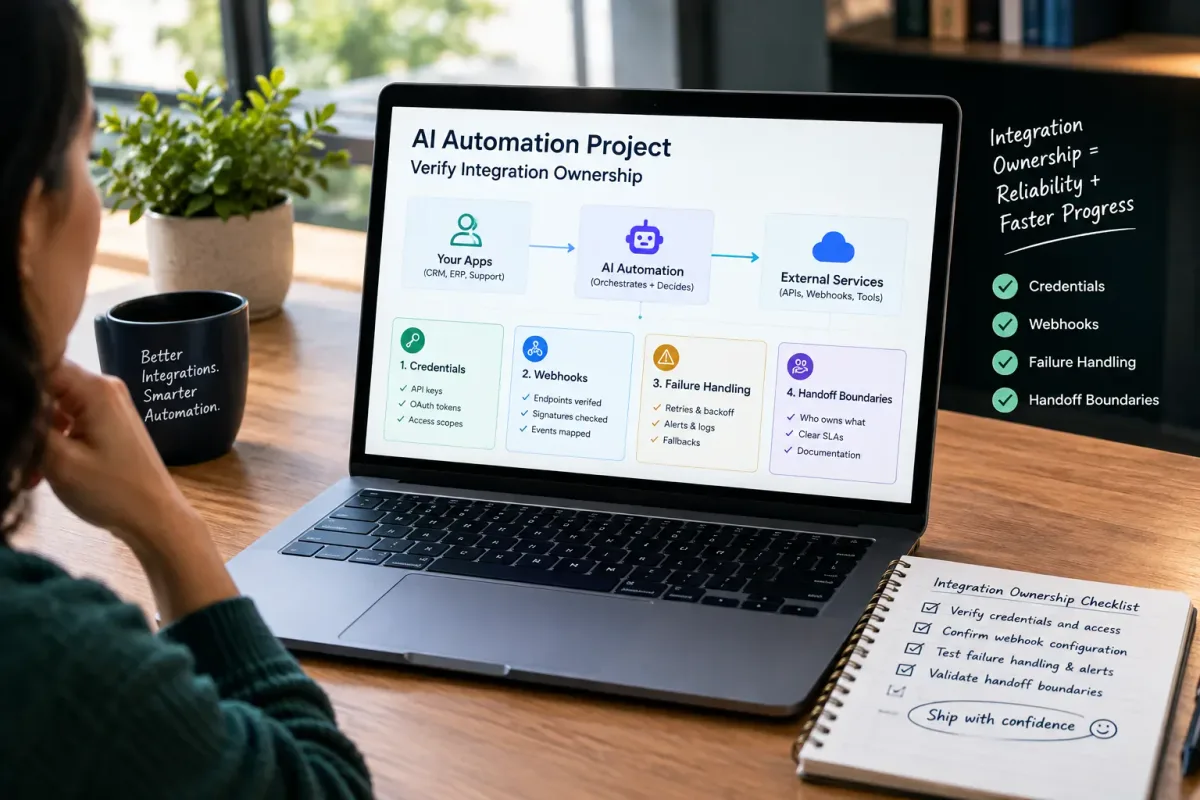
How Do I Verify Integration Ownership in an AI Automation Project?
Learn how to verify integration ownership in an AI automation project, including credentials, webhooks, failure handling, and handoff boundaries.
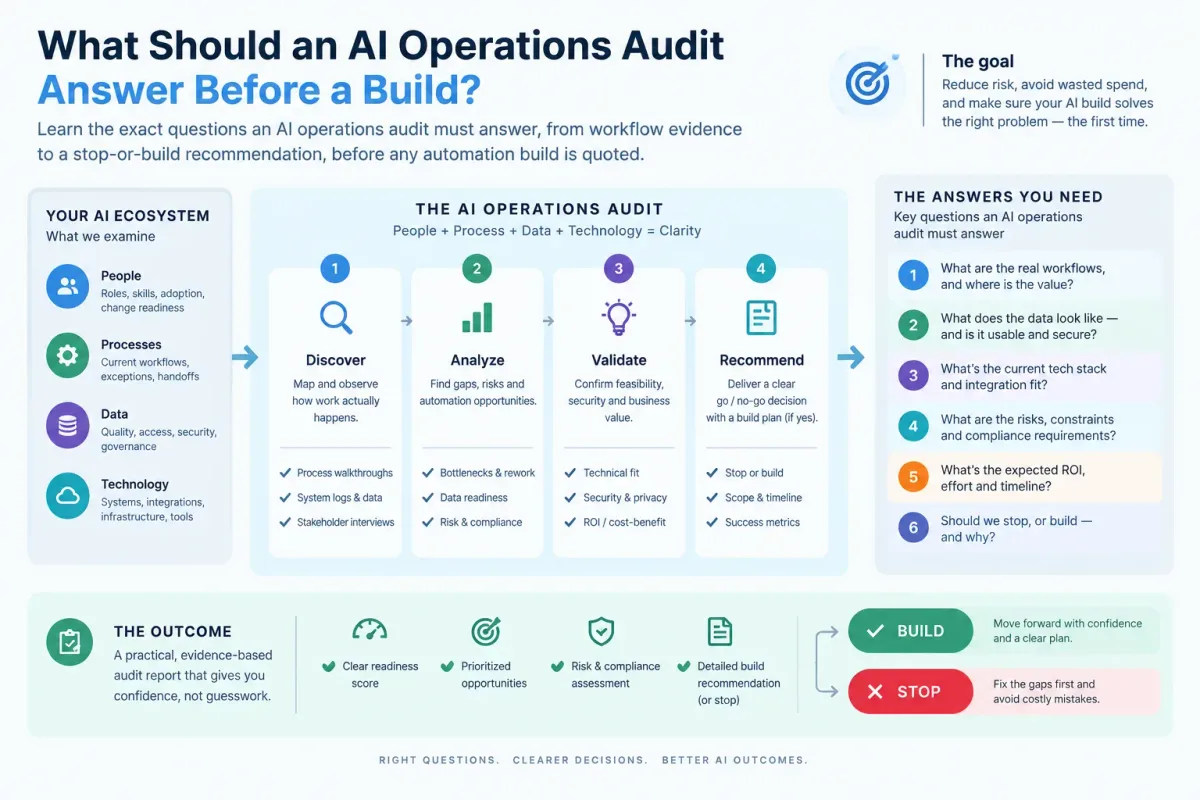
What Should an AI Operations Audit Answer Before a Build?
Learn the exact questions an AI operations audit must answer, from workflow evidence to a stop-or-build recommendation, before any automation build is quoted.

Who Is Patrick Gibbs and What Does Epiphany Dynamics Build?
Patrick Gibbs founded Epiphany Dynamics to help small and midsize businesses replace missed opportunities and manual busywork with practical AI automation.