
AI Automation
AI Workflow Automation for Small Business: A Complete Implementation Guide
Discover how small businesses can use AI workflow automation to eliminate repetitive tasks, reduce costs, and compete with larger enterprises without.
The free 30-minute AI Operations Audit is a conversation about a normal week in your business and where the work piles up. We find the one change that would give you the most time back and send you a plain-English plan for it. No forms and no pitch.
Book a free AI audit
Patrick Gibbs
AI workflow automation gives small businesses the operational capabilities that previously required large enterprise teams. Small businesses implementing AI automation consistently report meaningful gains in operational capacity without proportional cost increases. The highest-ROI automations for most small businesses are lead follow-up, appointment scheduling, invoice reminders, and customer onboarding sequences.
The Playing Field Has Changed
For decades, small businesses operated at a structural disadvantage. While Fortune 500 companies could afford armies of analysts, dedicated process engineers, and expensive enterprise software, Main Street businesses were stuck doing everything manually or with cobbled-together tools that barely talked to each other.
AI workflow automation has fundamentally changed this equation.
Today, a small consulting firm can deploy automation that once required a dedicated technical team. A local retailer can use predictive inventory management without commissioning a custom enterprise platform. A solo practitioner can maintain client relationships at scale using AI-powered follow-up systems.
For a practical starting point, our guide to automating repetitive tasks provides a roadmap you can execute immediately. This guide walks you through exactly how to implement AI workflow automation in your small business, from identifying the right opportunities to selecting tools and measuring results.
What Is AI Workflow Automation?
AI workflow automation combines artificial intelligence with automated process execution to handle tasks that traditionally required human judgment. Unlike simple robotic process automation (RPA) that follows rigid rules, AI-powered systems can:
- Extract meaning from unstructured data: read emails, documents, and messages to understand intent
- Make contextual decisions: route requests differently based on content, sender, or urgency
- Learn and improve: get better at tasks over time based on feedback and outcomes
- Handle exceptions intelligently: know when to escalate and when to proceed
For small businesses, this means automating not just simple data entry, but complex workflows like customer onboarding, lead qualification, appointment scheduling, invoice processing, and follow-up communications.
The Small Business Automation Opportunity
Before diving into implementation, let’s understand why small businesses are uniquely positioned to benefit from AI automation:
The Multi-Hat Problem
Small business owners and employees wear multiple hats. The same person often handles sales, customer service, bookkeeping, and operations. Every minute spent on repetitive administrative tasks is a minute not spent on revenue-generating activities or strategic growth.
Impact: AI automation can reclaim substantial time for small business owners who are buried in repetitive administrative work. Our AI automation cost and pricing guide breaks down exactly what this costs at each business size.
The Invisible Ceiling
Most small businesses hit an invisible ceiling where growth requires hiring, but hiring requires revenue, and revenue requires capacity. Automation breaks this cycle by increasing capacity without increasing headcount.
Impact: Businesses using AI automation consistently report meaningful gains in operational capacity without proportional cost increases.
The Customer Experience Gap
Small businesses compete on relationships, but customers increasingly expect immediate responses, 24/7 availability, and smooth digital experiences, expectations that seem impossible for small teams to meet.
Impact: AI automation enables small businesses to provide enterprise-grade responsiveness while maintaining the personal touch that differentiates them.
Identifying Your Automation Opportunities
Not every workflow should be automated. The best candidates share specific characteristics:
The RICE Framework for Automation Prioritization
Use this simple framework to evaluate automation opportunities:
| Factor | Question to Ask | High-Value Indicator |
|---|---|---|
| Repeatability | How often does this happen? | Daily or weekly |
| Input | Is the data structured and digital? | Emails, forms, documents |
| Complexity | How many decision points? | Clear, repeatable decision branches |
| Exception Rate | How often do exceptions occur? | Exceptions are predictable and easy to escalate |
Score each workflow against these factors and start with the one that is frequent, digital, repeatable, and easy to monitor.
Common Small Business Automation Targets
Customer-Facing Workflows:
- Lead response and qualification
- Appointment scheduling and reminders
- Follow-up communication sequences
- Review solicitation and reputation management
- FAQ handling and initial support triage
Internal Operations:
- Document processing and data extraction
- Expense categorization and receipt management
- Invoice generation and payment follow-up
- Inventory alerts and reordering
- Employee onboarding checklists
Sales and Marketing:
- Proposal generation from templates
- CRM data entry and enrichment
- Email campaign personalization
- Social media content scheduling
- Competitor price monitoring
Implementation Roadmap: From First Workflow to Automation System
Phase 1: Assessment and Quick Wins
Workflow Audit Document every repetitive task in your business. Track time spent by category. Identify the top time sinks that meet the RICE criteria.
Tool Selection For your top three targets, select appropriate tools:
- General workflow automation: Zapier, Make (formerly Integromat), n8n
- Document processing: Google Document AI, Azure Form Recognizer, Nanonets
- Customer communication: ManyChat, Intercom, Drift
- Email automation: Mailchimp, ActiveCampaign, HubSpot
- AI-powered assistants: Custom GPTs, Claude, specialized vertical solutions
First Automation Implement your highest-value, lowest-complexity automation. This builds confidence and demonstrates ROI quickly.
Phase 2: Core Workflow Automation
Document Processing Pipeline If you process invoices, contracts, forms, or applications, implement AI-powered document processing:
- Ingest: Email attachments, uploads, or scanned documents
- Extract: AI reads and extracts key data fields
- Validate: Automated checks against business rules
- Route: Distribution to appropriate team members or systems
- Store: Filing in correct locations with proper naming
Customer Communication Automation Deploy AI-powered responses for common inquiries:
- Immediate acknowledgment of all inquiries
- Intelligent routing based on inquiry type
- Automated responses to frequently asked questions
- Smart escalation when human intervention is needed
Phase 3: Advanced Integration
Cross-System Workflows Connect your automation across multiple platforms:
- New customer in CRM → Automated welcome sequence → Calendar scheduling → Onboarding document collection → Task creation in project management tool
- Invoice sent → Payment tracking → Automatic follow-up sequence → Late payment escalation → Collections handoff
Continuous Improvement Establish metrics and feedback loops:
- Track time saved weekly
- Monitor error rates and exception handling
- Gather user feedback monthly
- Review and optimize quarterly
Real-World Examples
Accounting Firm: Client Onboarding
Before: Manual document collection, data entry, and system setup for every new client After: Less manual processing time, with human review for exceptions Result: Much faster client activation, fewer lost documents, and less repetitive staff work
The Workflow:
- Client completes online intake form
- AI extracts key information and populates CRM
- Automated document request sent with secure upload link
- Uploaded documents automatically categorized and filed
- Engagement letter generated from template with extracted details
- E-signature request sent automatically
- Calendar invitation for kickoff meeting issued
- Team notification with complete client summary delivered
Marketing Agency: Content Production
Before: Manual content-calendar management, social posting, and reporting After: Strategy and creative work become the main human contribution Result: More consistent content output, steadier posting cadence, and easier performance reporting
The Workflow:
- Content calendar triggers creation reminders
- AI assists with topic research and outline generation
- Drafts routed through approval workflow
- Approved content auto-formatted for each platform
- Scheduling optimized based on engagement data
- Performance reports generated and distributed weekly
Common Pitfalls and How to Avoid Them
Over-Automation
The Mistake: Automating everything possible without considering the customer experience.
The Fix: Maintain human touchpoints in high-value interactions. Use automation to enhance, not replace, personal relationships.
Under-Training
The Mistake: Deploying AI tools without proper training data or ongoing refinement.
The Fix: Invest time upfront in training your AI systems. Plan for an initial review period where outputs are checked, corrected, and refined before the workflow runs without close supervision.
For more in this area, see Business Process Automation Consultant for Small Business.
Tool Sprawl
The Mistake: Adopting too many specialized tools that don’t integrate well.
The Fix: Prioritize platforms with strong integration networks. Sometimes a slightly less capable tool that connects to everything beats a powerful standalone solution.
Measuring Automation Success
Track these metrics to ensure your automation investment pays off:
| Metric | Baseline | Target | Measurement |
|---|---|---|---|
| Hours saved per week | Manual process time | Meaningful reduction | Time tracking |
| Response time | Current average | Faster first response | System logs |
| Error rate | Human error rate | Lower error rate | Quality audits |
| Customer satisfaction | Current NPS | Maintain or improve | Surveys |
| Cost per transaction | Fully loaded cost | Lower cost per completed workflow | Financial analysis |
The Future of Small Business Automation
We’re in the early innings of AI workflow automation. As the category matures, expect:
- Voice-powered automation: Natural conversation interfaces for complex workflows
- Predictive automation: Systems that anticipate needs before you articulate them
- Democratized AI: Tools requiring zero technical expertise to deploy
- Industry-specific solutions: Pre-built automation for vertical markets
Getting Started Today
The businesses that embrace AI workflow automation now will have a durable advantage as the tools become more common. Not because the technology is exclusive (it won’t be) but because they’ll have built organizational muscle around continuous improvement and efficiency.
Your action plan:
- Start by documenting your biggest time sinks
- Research one automation tool for your top target
- Deploy one simple automation and measure the result
- Expand into the next core workflow only after the first one is stable
- Ongoing: Review, refine, and expand
The question isn’t whether AI workflow automation will transform small business: it’s whether you’ll lead that transformation in your market or struggle to catch up. Our roundup of the best AI tools for service companies covers which platforms deliver the fastest payback by business type.
What is workflow automation, really? It’s the use of AI and software to handle repetitive, rule-based tasks that would otherwise consume your team’s time. For small businesses, this means automating lead response, appointment scheduling, invoice reminders, and customer onboarding. The goal is to let your team focus on the work that actually grows the business. See our implementation guides and tool comparisons for practical how-tos, or book a consultation with Epiphany Dynamics to build your automation roadmap.
Frequently Asked Questions
Q: What are the best AI workflow automations for small businesses to start with?
The highest-ROI starting points for most small businesses are lead follow-up sequences, appointment scheduling, invoice reminders, and customer onboarding. These processes are high-frequency, rule-based, and directly tied to revenue, making them ideal first automation candidates. Start with whichever one currently consumes the most staff time or causes the most dropped balls.
Q: How much does AI workflow automation cost for a small business?
The cost depends on the tools involved, the number of workflows, the depth of integration, and whether you build it yourself or hire implementation help. The ROI depends on whether the first workflows target high-volume, time-intensive processes that already create visible drag.
Q: Do I need technical expertise to implement AI workflow automation?
Most modern automation platforms are designed for non-technical users with drag-and-drop workflow builders and pre-built templates. You can implement basic automations (email sequences, appointment reminders, lead routing) without writing a single line of code. More complex integrations involving custom APIs or conditional logic may benefit from a consultant or fractional tech resource.
Q: How long does it take to see results from AI workflow automation?
Simple automations like appointment reminders and invoice follow-ups can show measurable results quickly: fewer avoidable no-shows, faster payment nudges, and fewer missed leads. Complex workflows like full customer onboarding automation need more configuration, testing, and tuning. Businesses often find that the first successful automation builds confidence and momentum for expanding to additional processes.
Q: What processes should NOT be automated in a small business?
High-stakes judgment calls, emotionally sensitive client interactions, and situations requiring creative problem-solving should stay human. Avoid automating complaint handling for upset customers, complex sales negotiations, and any process where errors have significant financial or legal consequences. The goal is to automate the repetitive so humans can focus on the relationship-driven work that actually differentiates your business.
Patrick Gibbs
AI Automation Expert
Patrick Gibbs helps professional practices implement AI automation that captures more leads, books more appointments, and scales without adding overhead. He's the founder of Epiphany Dynamics and creator of the AI Front Desk system.
Related Solutions
Build this into a real workflow
Related Posts
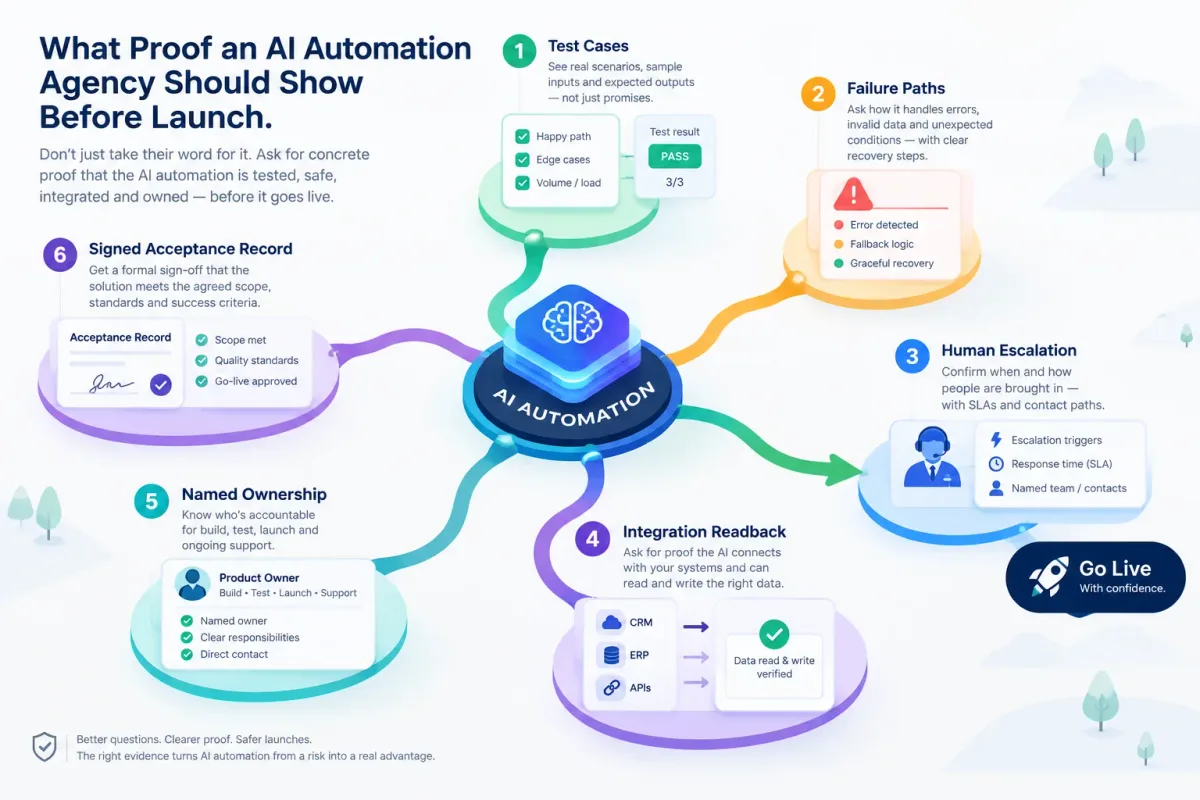
What Proof an AI Automation Agency Should Show Before Launch
Before an AI automation goes live, ask for test cases, failure paths, human escalation, integration readback, named ownership, and a signed acceptance record.
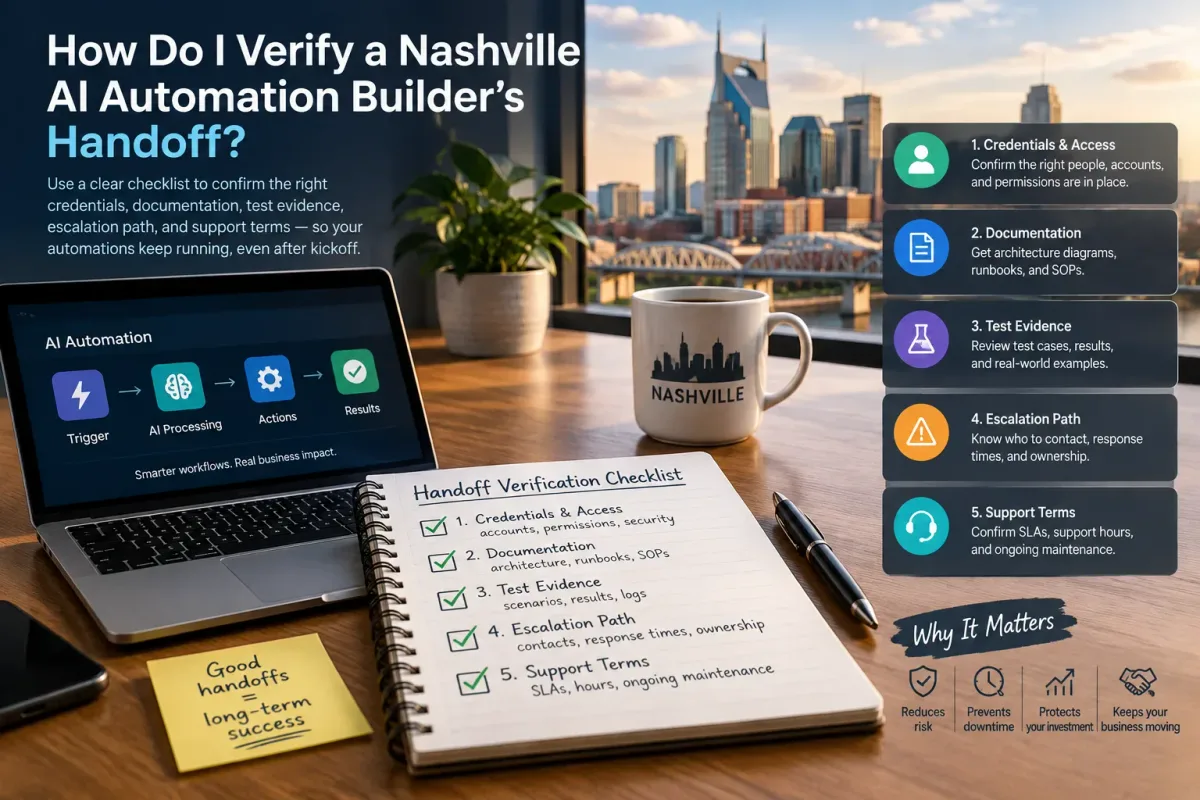
How Do I Verify a Nashville AI Automation Builder's Handoff?
Verify a Nashville AI automation builder's handoff with a checklist covering credentials, docs, test evidence, escalation, and support terms.
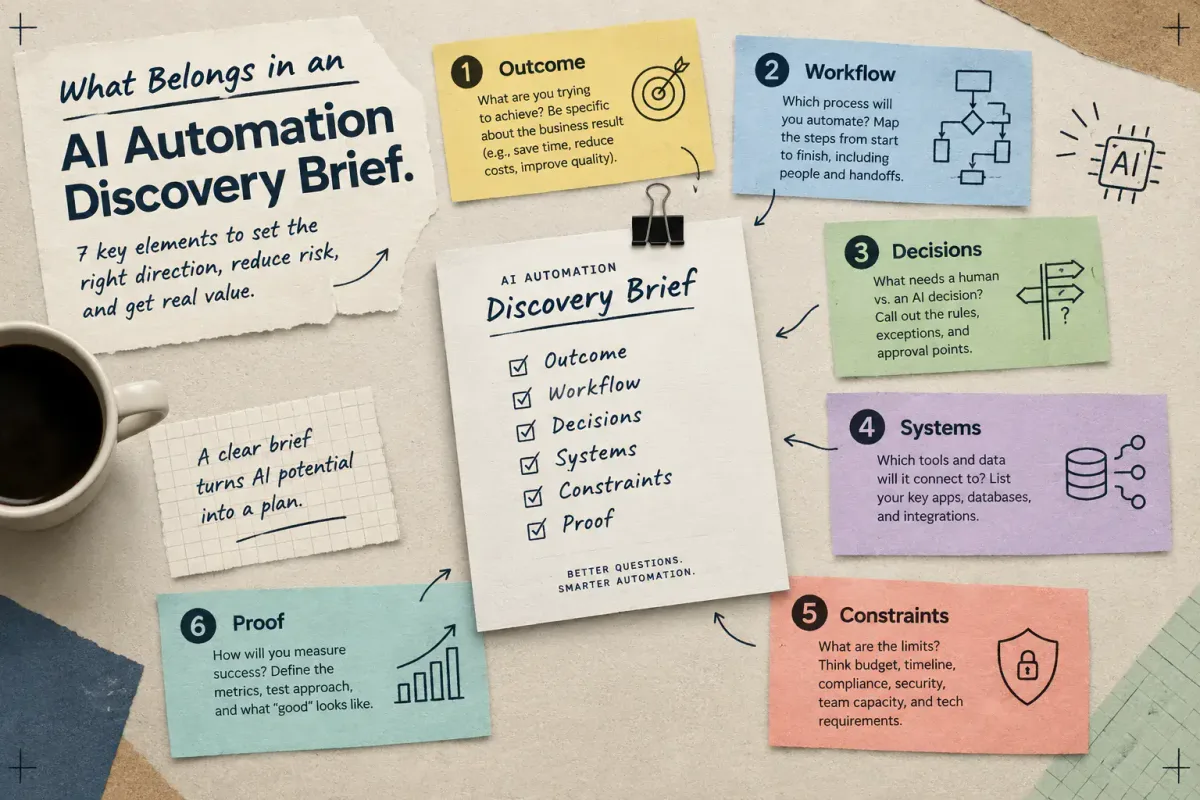
What Belongs in an AI Automation Discovery Brief
Learn the seven elements a small-business AI automation discovery brief needs: outcome, workflow, decisions, systems, constraints, and proof.