
AI Automation
Best AI Tools for Service Companies: A Practical 2025 Breakdown
Service companies lose time to slow lead response, manual scheduling, and admin that requires zero judgment. Here's which AI tools actually pay off, and in.
The free 30-minute AI Operations Audit is a conversation about a normal week in your business and where the work piles up. We find the one change that would give you the most time back and send you a plain-English plan for it. No forms and no pitch.
Book a free AI audit
Patrick Gibbs
Service companies lose meaningful time every week to slow lead response, manual scheduling, and admin that requires zero judgment. A practical AI tool stack starts by identifying which routine work is actually worth automating, then matching tools to the bottleneck. This breakdown covers the AI tool categories that can pay off for service businesses, with specific platform types, ROI logic, and a framework for deciding where to start.
Most service company owners know they should be using AI. What they lack is a clear answer to the only question that actually matters: which tools pay for themselves, in what order should you deploy them, and how do you calculate whether a monthly platform cost is worth it versus just hiring part-time admin help?
Routine service-company work is often automatable with current AI and workflow tools, but the business case depends on your own labor cost, call volume, lead flow, and scheduling complexity. This guide breaks down the specific tool categories that move the needle, what realistic ROI logic looks like, and a framework for deciding where to start. For the full cost picture, our AI automation pricing guide covers every pricing model and hidden fee to watch for.
What’s Actually Eating Your Time
Before evaluating any platform, build a simple worksheet: front-office headcount x loaded hourly cost x automatable share x annual hours = your annual automatable cost baseline. That’s not a guarantee of savings. It’s a ceiling that tells you whether a vendor quote has even a theoretical chance of earning its keep.
The time buckets consuming that labor in most service businesses fall into four predictable areas: inbound lead response, appointment scheduling and rescheduling, quote generation and follow-up, and nurturing unconverted leads. This breakdown matters because different AI tools attack different buckets. Buying the best scheduling automation when your real bottleneck is slow lead response won’t move your numbers.
A practical audit: have front-office staff log time by category for a short baseline period. Most owners discover that a fraction of their week is pure data entry, appointment confirmation calls, and chasing leads who never got a fast reply. That data is what makes tool selection precise rather than speculative.
The 5 AI Tool Categories That Actually Move the Needle
The market is crowded with “AI-powered” features that are essentially just templates and filters. The five categories below have demonstrable, measurable ROI for service businesses, with specific tools worth evaluating in each.
1. AI Lead Response and Customer Communication
Speed-to-lead is one of the biggest conversion levers in service businesses. Harvard Business Review’s “The Short Life of Online Sales Leads” study found that faster contact materially improves lead qualification odds. An AI chat agent can shorten the response gap without adding headcount, a dynamic our guide on improving close rates with AI automation explores in more detail.
Intercom (Fin AI) handles natural-language conversations, qualifies leads, and books appointments. Tidio is a strong budget option with automation suited for lean operations. GoHighLevel is worth evaluating if you’re also managing your own marketing: it bundles CRM, pipeline, and AI chat in a single platform built specifically for service businesses. Verify current vendor pricing before comparing options.
2. AI Scheduling and Dispatch Optimization
Manual scheduling is a capacity problem disguised as an admin problem. When your CSR manually cross-references technician calendars, drive routes, and job durations, you’re leaving potential daily jobs on the table. AI scheduling tools optimize route density, reduce drive time, and let customers self-book into available windows.
ServiceTitan is the standard for HVAC, plumbing, and electrical businesses. Jobber (cleaning, landscaping, home services) includes AI-assisted scheduling and dispatch workflows. For medical or professional services, Calendly with routing rules handles complex multi-person scheduling logic. Verify current vendor pricing and plan limits before committing.
3. AI CRM and Sales Pipeline Automation
Many service businesses track leads in spreadsheets until the process starts leaking follow-up opportunities. AI-enhanced CRM automates the follow-up sequences that humans tend to skip when busy.
HubSpot’s AI features include deal scoring, AI email drafting, and pipeline prediction. For smaller budgets, GoHighLevel provides automated SMS and email sequences bundled with CRM features. Salesforce Einstein earns consideration when the team is already deep in Salesforce; it is usually overkill for smaller service companies that only need basic follow-up automation.
4. AI Quote and Proposal Generation
For service businesses where proposals are customized per project (landscaping, roofing, IT, home renovation), quote generation can eat up a large chunk of time per estimate, often the better part of an hour or more. AI-assisted tools can cut that down substantially while improving consistency and reducing errors from manual calculation.
PandaDoc integrates AI content suggestions with e-signature workflows. Proposify has strong automation suited for professional service firms. For trade contractors, Estimate Rocket pulls from historical job data to generate more accurate quotes faster, worth evaluating if estimating is your documented bottleneck. Verify current pricing and plan limits on vendor pages.
5. Workflow Automation: The Connective Tissue
The tools above compound in value when they communicate automatically. A new lead fills out your website form → AI chat qualifies them → CRM creates a contact → scheduling tool sends a booking link → confirmation email goes out. Without workflow automation, that sequence requires 4–6 manual handoffs. With it, it’s zero.
Make.com and Zapier are the dominant platforms. For businesses wanting more control and lower long-term cost, n8n is open-source and self-hostable. These tools aren’t AI themselves, but they’re the infrastructure that makes AI tools actually compound across your operation. Compare current pricing against the number of automations and task volume you expect to run.
What Real ROI Looks Like
Consider a mid-sized HVAC company with technicians in the field and office staff handling inbound leads, scheduling, and follow-up. Their combined front-office labor cost becomes the baseline for evaluating whether automation is worth it.
After implementing AI chat, AI-assisted scheduling, and basic workflow automation, here’s what an illustrative planning scenario could track:
| Metric | Baseline | After Automation | What to Watch |
|---|---|---|---|
| Lead response time | Current average | Faster first response | Lead-to-appointment conversion |
| Lead-to-booked conversion | Current close rate | Improved close rate | Booked jobs from same lead volume |
| CSR hours/week on scheduling | Current weekly hours | Reduced weekly hours | Time redirected to follow-up |
| Monthly tool cost | Current vendor spend | Current vendor quote | Monthly software and setup cost |
| Estimated monthly revenue impact | Current booked revenue | Modeled gross potential | Appointments captured x average job value |
Figures in this table are an illustrative planning scenario, not a measured client result.
In this illustrative scenario, the revenue recovery comes from two sources: improved lead conversion (more booked jobs from the same lead volume) and staff time redirected toward outbound follow-up on unconverted estimates. The point is not that every company will see the same payback period. The point is that attacking the right bottleneck with the right tool makes the ROI test concrete.
A Prioritization Framework for Choosing Where to Start
With dozens of tools available, the question isn’t which is “best” in the abstract. It’s which delivers the fastest payback for your specific bottleneck. Use this three-step process before purchasing anything:
- Run the time audit. Use time logs by category. Identify your top two time drains by hours consumed.
- Calculate the automatable cost baseline for each category using the formula above. This tells you the theoretical ceiling on savings.
- Set a payback threshold before the demo. A tool should recover its cost within a timeframe your cash flow can tolerate. If the math doesn’t work at list price, move on.
Most service businesses should start with either AI lead response or AI scheduling, whichever represents the larger cost bucket. These two categories have shorter feedback loops than broad back-office automation. Workflow automation comes third: it’s a multiplier, not a standalone value driver. CRM and proposal tools come later unless your audit shows those are the primary bottleneck.
For a step-by-step implementation plan, our guide to automating repetitive tasks walks through a phased rollout. One practical rule: deploy one category at a time, stabilize it, then add the next. Parallel deployment introduces too many variables and makes it impossible to attribute results accurately. It also increases the chance of a failed rollout that sours your team on AI tools.
More on this subject: How Businesses Use AI in 2026: What’s Actually Working.
The Mistakes That Kill ROI
Deploying AI chat without training it on your business. Out-of-the-box AI chat tools produce generic responses that frustrate prospects. Every tool in this category requires an onboarding phase where you provide your service offerings, pricing ranges, service area, FAQ, and objection-handling scripts. Budget setup time upfront. Skip this and you’re deploying a liability, not an asset.
Not closing the loop between tools. A scheduling tool that doesn’t sync with your CRM creates double data entry. Before deploying any tool, map how it connects to your existing stack. If it doesn’t connect via native integration or through Make/Zapier, factor in the integration cost. Disconnected tools generate new admin work rather than eliminating it.
Measuring the wrong metrics. The right metrics for AI communication tools are lead-to-appointment conversion rate and average speed-to-lead. For scheduling tools, they’re jobs per technician per day and CSR hours spent on scheduling. Operators who measure “leads generated” (a marketing metric) consistently miss the operational improvements and conclude the tools didn’t work.
Skipping the human review phase. Early human review of AI-handled conversations surfaces gaps in training data and catches edge cases before they become negative reviews or lost deals. Most operators skip this entirely and then blame the platform when something slips through.
Getting Started Without the Overwhelm
The lowest-friction entry point for many service businesses is a trial of a website chat tool. Run the chat in observation mode first so the AI can learn from real conversations before going live. This single step gives you better training data than anything the platform ships with by default.
From there, build outward: connect to your CRM, then add scheduling automation, then tie it together with a workflow tool. The businesses seeing the biggest compounding returns from AI aren’t running the most sophisticated stacks. They’re running the right tools in the right sequence and measuring what actually happens. Service businesses have a structural advantage here: their processes are repetitive, their customer interactions follow predictable patterns, and outcomes like booked jobs and completed invoices are easy to track. The infrastructure exists. The only variable left is whether you act on it while the operational gap is still fixable.
If you’re evaluating where to start your AI implementation or want a second opinion on your current stack, firms specializing in service-business automation, like Epiphany Dynamics, can help you run the cost-baseline analysis before committing to any platform.
Frequently Asked Questions
Q: How do I calculate the automatable cost baseline for my service business before evaluating AI tools?
Use this formula: front-office headcount x loaded hourly cost x automatable share x annual hours = annual automatable cost baseline. That’s the ceiling telling you whether a vendor quote has a theoretical chance of earning its keep. It’s not a guarantee of savings, but it sets the right expectations before any vendor evaluation.
Q: What is the single highest-ROI AI tool category for most small service businesses?
AI lead response and customer communication, because speed-to-lead is one of the biggest conversion levers in service businesses. Harvard Business Review research (“The Short Life of Online Sales Leads”) shows the odds of qualifying a lead fall off sharply as response time grows. An AI chat agent can shorten that gap without adding headcount, but the financial impact depends on your lead volume, close rate, and average job value.
Q: What is the practical order to build an AI tool stack for a service business?
Start with either AI lead response or AI scheduling, whichever represents the larger cost bucket in your time audit. These have shorter feedback loops and tend to show results faster than broad back-office automation. Workflow automation (Make.com, Zapier, n8n) comes third as the connective tissue multiplying the value of what’s already in place. CRM and proposal tools come later unless your audit identifies those as the primary bottleneck. Deploy one category at a time, stabilize it, then add the next: parallel deployment makes it impossible to attribute results accurately.
Q: What mistake most commonly kills ROI on AI sales and scheduling tools for service businesses?
Deploying AI chat without training it on your business. Out-of-the-box AI chat tools produce generic responses that frustrate prospects. Every tool in this category requires an onboarding phase where you provide service offerings, pricing ranges, service area, FAQ, and objection-handling scripts. Budget setup time upfront. Skip this and you’re deploying a liability, not an asset. The second most common mistake is measuring the wrong metrics: lead-to-appointment conversion rate and average speed-to-lead for communication tools, not “leads generated,” which is a marketing metric that misses the operational improvement.
Q: How does AI scheduling automation reduce the time a service company spends on booking logistics?
Manual scheduling (cross-referencing technician calendars, drive routes, and job durations) can leave potential jobs on the table due to suboptimal route density and available-slot utilization. Self-service booking with AI routing allows customers to fill available windows directly, eliminating phone tag that eats staff time per booking. Use your own appointment volume and scheduling touch count to estimate the time recovered.
Patrick Gibbs
AI Automation Expert
Patrick Gibbs helps professional practices implement AI automation that captures more leads, books more appointments, and scales without adding overhead. He's the founder of Epiphany Dynamics and creator of the AI Front Desk system.
Related Solutions
Build this into a real workflow
Related Posts
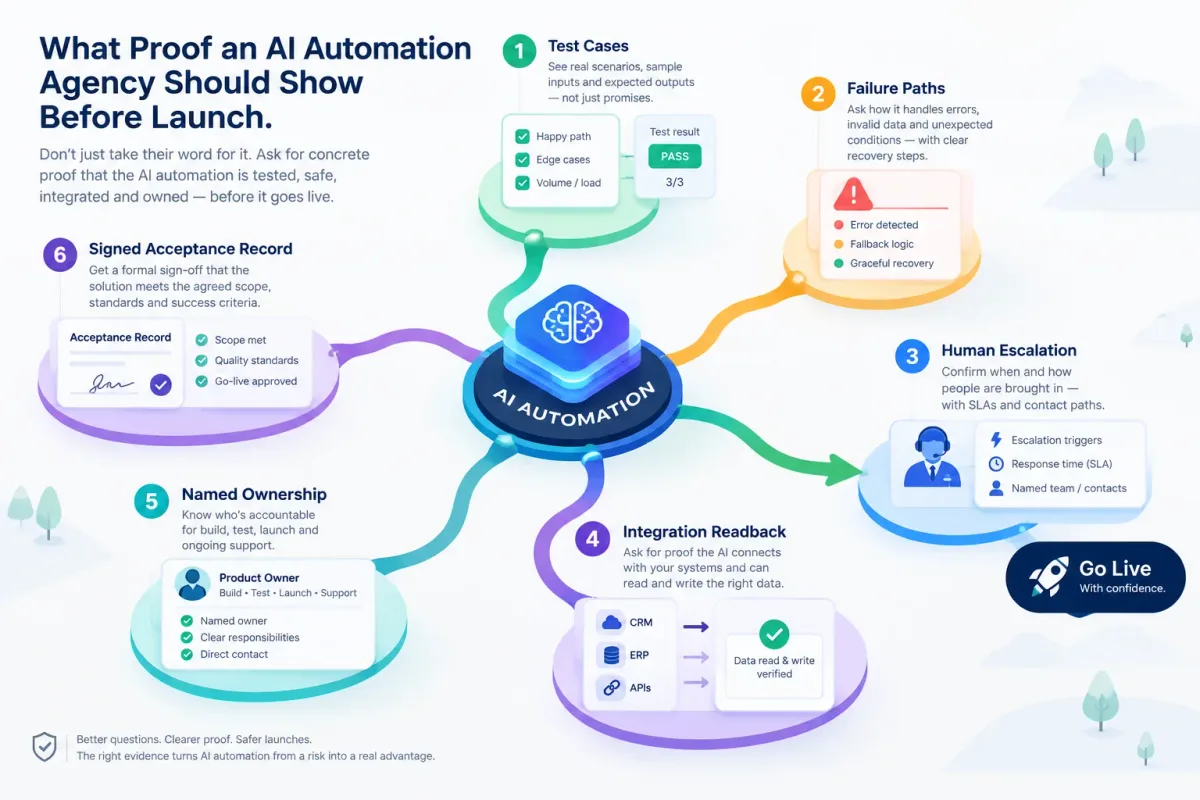
What Proof an AI Automation Agency Should Show Before Launch
Before an AI automation goes live, ask for test cases, failure paths, human escalation, integration readback, named ownership, and a signed acceptance record.
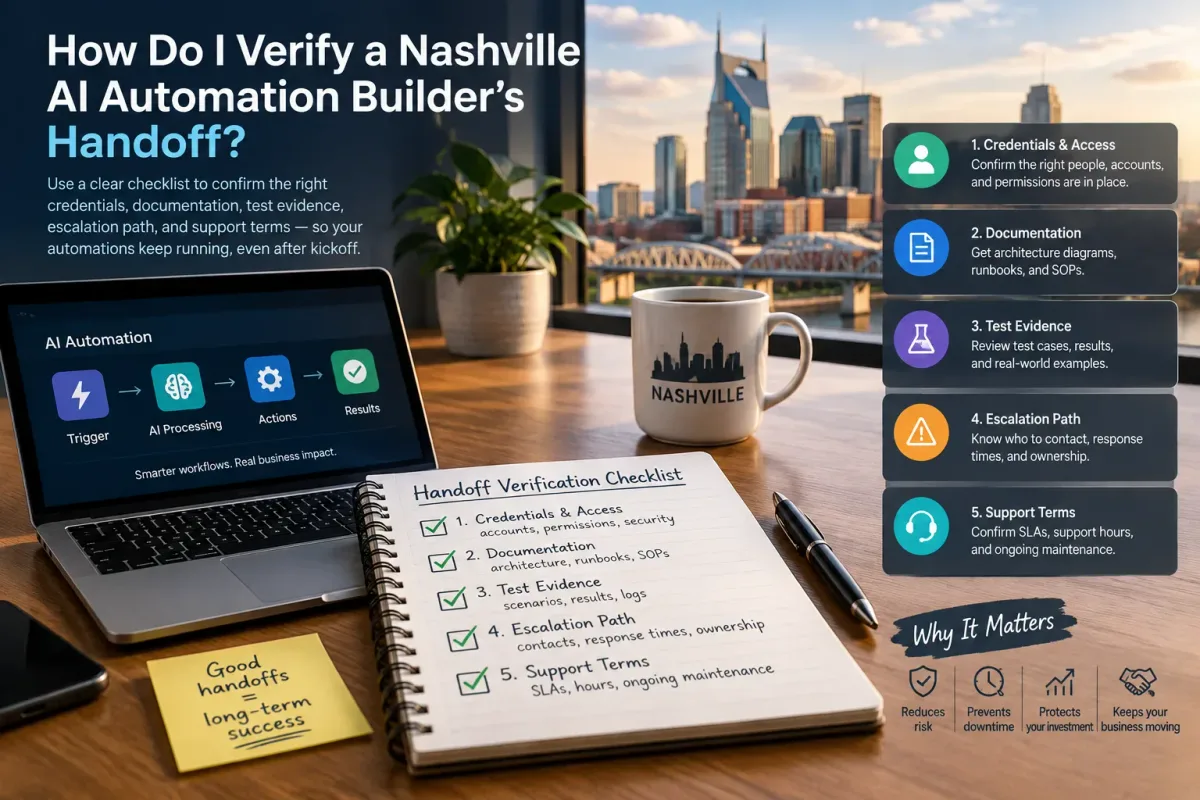
How Do I Verify a Nashville AI Automation Builder's Handoff?
Verify a Nashville AI automation builder's handoff with a checklist covering credentials, docs, test evidence, escalation, and support terms.
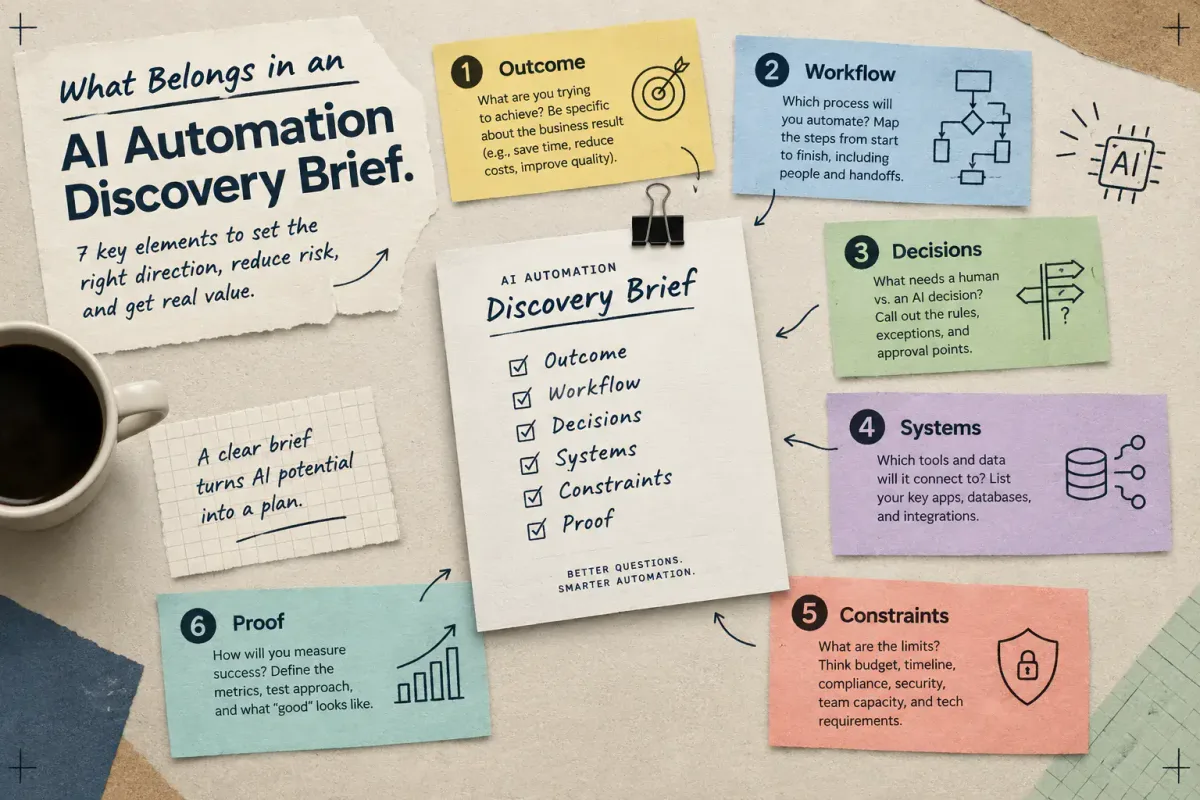
What Belongs in an AI Automation Discovery Brief
Learn the seven elements a small-business AI automation discovery brief needs: outcome, workflow, decisions, systems, constraints, and proof.