
Industry Insights
Plumbing Dispatch Software in 2026: What It Fixes and How to Evaluate It
Most plumbing companies lose billable capacity to scheduling gaps and inefficient routing. Here's what dispatch software actually fixes and how to evaluate.
The free 30-minute AI Operations Audit is a conversation about a normal week in your business and where the work piles up. We find the one change that would give you the most time back and send you a plain-English plan for it. No forms and no pitch.
Book a free AI audit
Patrick Gibbs
Plumbing dispatch software automates job assignment, technician routing, and customer notifications in real time. The business case depends on your crew size, route density, missed appointment exposure, dispatcher workload, and current vendor quotes.
If you're running dispatch out of a whiteboard, a shared Google calendar, or someone's personal cell phone, you already know the problem. A technician finishes early, sits idle because nobody knows he's free, and meanwhile a nearby customer is waiting for someone to show up. That's not a people problem. It's a systems problem. Dispatch software exists specifically to fix it. For the broader automation picture, our service business workflow automation guide covers how dispatch fits alongside other high-value workflows.
The question worth asking isn't "should I get dispatch software?" It's "how much is the lack of it costing me right now?" The answer is usually more than you think, and the math is not hard to run.
What Plumbing Dispatch Software Actually Does
Plumbing dispatch software connects incoming job requests, technician availability, GPS location data, and customer records into one system. It assigns jobs automatically based on proximity, skill set, and workload, then sends automated updates to customers. The core function is eliminating communication gaps that create idle time and missed service windows.
The basic workflow looks like this: a customer calls or submits a request online, the system creates a job ticket, matches it to an available technician based on location and job type, and dispatches an assignment to the tech's mobile app. The technician gets turn-by-turn routing. The customer gets an ETA text. The dispatcher sees everything on a live map.
What doesn't get enough attention is the scheduling layer underneath that. Good dispatch software doesn't just fill today's slots. It shows you where you're leaving money on the table. If three techs are crisscrossing town in routes that make no geographic sense, the routing engine catches that and reorders the schedule. ServiceTitan, Jobber, and Housecall Pro all have this capability. The routing quality varies across platforms, but the underlying concept is consistent: reduce windshield time, increase billable time.
There's also a customer communication layer that operates entirely without human intervention. Automated appointment confirmations, technician-en-route texts, and post-job review requests fire on their own. That sounds minor. It isn't. The value comes from fewer missed windows, fewer confused customers, and cleaner follow-up. One Phoenix plumbing company recovered substantial annual revenue after addressing their missed call problem.
The Real Cost of Manual Dispatching
Manual dispatching can cost plumbing businesses billable capacity through idle time, double-booking errors, and inefficient routing. The right way to evaluate software is to calculate your current capacity, estimate the scheduling gap you can realistically close, and compare that recovery against the vendor quote and rollout effort.
Run the actual numbers with your own inputs: technicians x weekly billable hours x average billable rate = weekly capacity. Then compare actual invoiced hours against that capacity. The gap is not automatically recoverable, but it tells you how much room dispatch software has to matter.
The business case gets clearer when you separate the categories: idle time, inefficient drive routes, missed appointments, dispatcher workload, and customer communication gaps. Each category needs its own baseline before a software quote means anything.
| Metric | Without Dispatch Software | With Dispatch Software |
|---|---|---|
| Tech utilization rate | Current invoiced-hours baseline | Post-rollout trend |
| Avg drive time per job | Current route baseline | Reduced windshield time |
| Missed appointments | Current missed-window rate | Measured after reminders and ETA texts |
| Dispatcher calls per day | Current manual call load | Reduced coordination calls |
| Customer satisfaction (avg rating) | Current review baseline | Post-rollout review trend |
The hidden cost that doesn't show up in any spreadsheet is employee turnover. Technicians who spend their day driving inefficient routes and fielding confused calls from dispatch burn out faster. If route chaos contributes to churn, factor recruiting, onboarding, and ramp time into the operational cost of staying manual.
There's also the dispatcher labor angle. If someone spends a meaningful part of the day managing scheduling manually, and dispatch software cuts that workload enough to redirect them into customer service, sales follow-up, or billing cleanup, that capacity should be part of the ROI calculation.
Features That Actually Matter (and Some That Don't)
The features that generate the most ROI in plumbing dispatch software are real-time GPS tracking, automated job assignment, customer notification workflows, and mobile technician apps with offline capability. Live dispatch boards and drag-and-drop scheduling look impressive in demos but rarely drive the same measurable gains in efficiency.
GPS tracking and automated routing are the features you cannot skip. Everything else is negotiable until the operation has enough technicians and job complexity to justify deeper tooling. The routing engine is what drives utilization improvement. The GPS is what makes it accurate in real time. Without both working together, you've added a more expensive version of the whiteboard.
Mobile apps for technicians matter more than most buyers realize going in. If techs can't update job status, pull customer history, or add notes from the field without calling the office, you've layered a new system on top of the old communication problem instead of replacing it. The mobile app is where the efficiency gain actually happens day to day. Platforms like Jobber and Housecall Pro have strong mobile experiences. Some enterprise platforms still have clunky apps that techs quietly refuse to use, and low adoption kills ROI faster than any pricing issue.
Features you can probably skip at first: AI-powered demand forecasting, customer portal logins, and built-in financing integrations. These are genuinely useful at scale, but for a smaller operation, they're noise. Get routing, scheduling, and notifications working cleanly before adding complexity. The most common implementation mistake is turning on every feature at launch and overwhelming the team.
Choosing the Right Platform for Your Operation
Plumbing companies should choose dispatch software by crew size, routing complexity, mobile-app adoption, accounting needs, and current vendor quotes. Smaller teams usually need simple scheduling, notifications, and mobile workflows. Larger teams often need deeper routing, accounting, inventory, and reporting integration.
The biggest mistake small operators make is buying enterprise software too early. ServiceTitan is a serious platform built for serious volume. Our guide to ServiceTitan AI integration covers how to connect it with voice AI for a fully automated workflow. If you are paying for features you will not use until much later, you're overbuying. Start with something that matches your current operation. You can always migrate up.
Before signing anything, ask every vendor specific questions. First: does the mobile app work offline? Cell service on job sites is unreliable. If the app requires a connection to update job status, techs will stop using it quickly. Second: what does onboarding cost and is it included? Setup and training belong in your real first-year price calculation. Third: can you export your own data cleanly if you decide to leave? Vendor lock-in through proprietary data formats is a documented problem in this space, and it matters when you're evaluating alternatives later.
Free trials vary significantly in quality. Use the trial period with real jobs, real techs, and real customers. Don't evaluate dispatch software on a demo scenario with fake data. The only useful test is whether your team actually uses it during normal work.
How to Calculate ROI Before You Buy
To calculate dispatch software ROI: multiply weekly billable capacity by the utilization gap you believe software can realistically close. Then compare that potential recovery against the vendor quote, setup cost, training time, and adoption risk.
Here's the calculation in plain steps:
- Step 1: Calculate weekly billable capacity (techs multiplied by weekly hours multiplied by hourly rate)
- Step 2: Estimate your current utilization rate honestly (billable hours actually invoiced vs. total clock hours)
- Step 3: Estimate the portion of the gap that routing, scheduling, and notifications could realistically close
- Step 4: Multiply that recoverable share by weekly capacity to estimate weekly recovery
- Step 5: Compare monthly software cost and setup effort against the recovery estimate
Use this as a worksheet rather than a promise: capacity equals technicians x weekly billable hours x average billable rate. Recovery equals capacity x recoverable utilization gap. Net value equals recovery minus platform cost, setup effort, training time, and any adoption drag.
One number people consistently underestimate: the time cost of inbound scheduling calls. If your office manager or dispatcher spends a meaningful part of the day managing the schedule by phone, that labor can get partially redirected once automated dispatch is running. It doesn't disappear from payroll overnight, but the capacity gets redeployed toward tasks that actually grow the business.
Implementation: The Part That Determines Whether Any of This Works
Dispatch software implementations fail most often because of adoption, not technology. The platforms are mature. The problem is techs who skip the app, dispatchers who revert to familiar habits, and owners who don't enforce the new workflow. Plan for setup, training, a pilot period, and some short-term friction before the workflow stabilizes.
Don't try to migrate your entire operation in one day. Run the new system in parallel with your existing process during the pilot. Pick your most tech-comfortable technician as the pilot user. Work the bugs out of their workflow before rolling to the full crew. This approach adds time to the rollout and saves you from a team-wide revolt.
Set clear expectations around GPS tracking. It's the most common friction point. Some techs read it as surveillance. The reframe that tends to land well: the GPS data is what lets the system give them smarter routes and more completed jobs, which matters if they're on any kind of commission structure. It's not about monitoring. It's about reducing the chaos in their day. Technician buy-in is not optional for ROI.
Expect a learning curve during rollout. Every transition has friction. Teams that measure ROI too early and conclude "it's not working" are the ones who go back to the whiteboard and write negative reviews. Measure after the workflow has stabilized and the team stops thinking about the software and starts just using it.
Plumbing dispatch software won't fix bad technicians or poor customer service. What it fixes is the operational layer underneath the people. If your fundamentals are solid and your ceiling is logistics, the case for adopting dispatch software is straightforward. Businesses looking to think through which platform fits their specific operation and how to structure a rollout that actually sticks can work with AI-assisted business consultants like those at Epiphany Dynamics to run the numbers before committing to a contract.
See the Phoenix plumbing company AI Implementation Example for a real-world transformation story. Check our effective plumbing business growth solutions guide for scaling strategies. See the voice AI adoption trends for home service contractors for the latest data.Frequently Asked Questions
Q: How much can a plumbing company realistically save with dispatch software?
Savings depend on crew size, billable rate, current utilization, dispatcher workload, route density, and vendor pricing. Calculate weekly capacity, estimate the recoverable scheduling gap, then compare that recovery against software cost, setup effort, and adoption risk.
Q: Can dispatch software actually reduce missed appointments in plumbing?
Yes, when the workflow is configured well. Automated customer confirmations, real-time ETA texts, and GPS verification reduce the chance that customers miss arrival windows or dispatch misses scheduling conflicts. The exact improvement depends on your current process and customer communication baseline.
Q: How long does it take to set up and train a plumbing crew on dispatch software?
Setup depends on the platform, service-area complexity, job types, integrations, and technician adoption. Plan for configuration, vendor training, a pilot user, and a gradual rollout instead of assuming the whole crew will adopt a new workflow immediately.
Q: What's the difference between dispatch software and just using Google Maps and group chat?
Google Maps provides routing, but dispatch software automates job assignment logic, integrates with invoicing and customer records, sends automated confirmations, and tracks job status in real-time. It eliminates manual decision-making at every step. Dispatchers no longer play traffic cop, and technicians always know what's next without waiting for a text.
Patrick Gibbs
AI Automation Expert
Patrick Gibbs helps professional practices implement AI automation that captures more leads, books more appointments, and scales without adding overhead. He's the founder of Epiphany Dynamics and creator of the AI Front Desk system.
Related Solutions
Build this into a real workflow
Related Posts

AI Admin Tools for Plumbers: What They Are and How to Choose
AI admin tools automate dispatch, reminders, invoicing follow-up, missed calls, and review requests for plumbers. What they do and how to choose.
Insurance Eligibility Automation for Physical Therapy Clinics
Eligibility automation for physical therapy clinics verifies benefits before the patient arrives, cuts front desk phone work, and can lower claim denial risk.
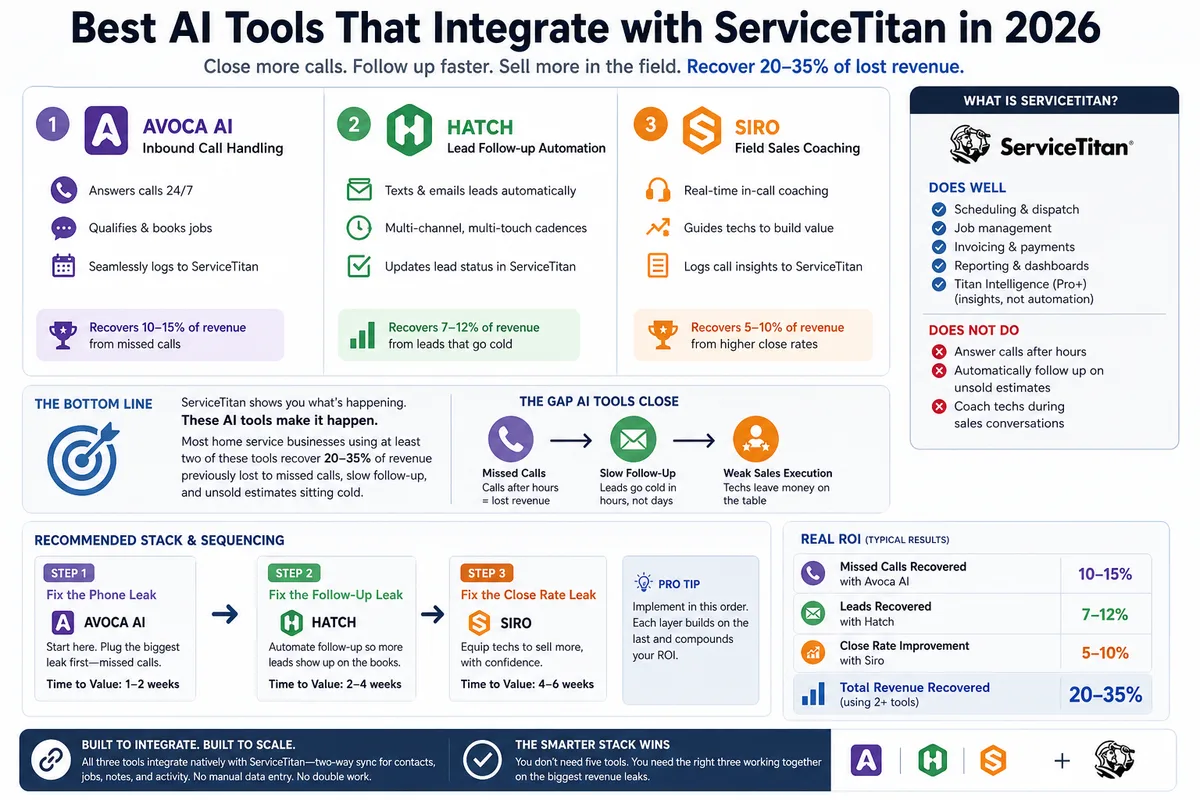
Best AI Tools That Integrate with ServiceTitan in 2026
Most ServiceTitan shops miss a meaningful share of inbound calls and leave most estimates unsold. These AI tools close those gaps inside ServiceTitan.